
When a heat network operator in the UK looks for a new billing system, it no longer starts with vendor websites. It asks Google or ChatGPT and gets a shortlist of three or four names. SkyBill is a Riga company that has been building this kind of software since 2004. In 2026 dizainsweb rebuilt skybill.eu on Wix Studio, and the new site had two jobs: get onto that shortlist, then convince the person who opens the page.
The situation
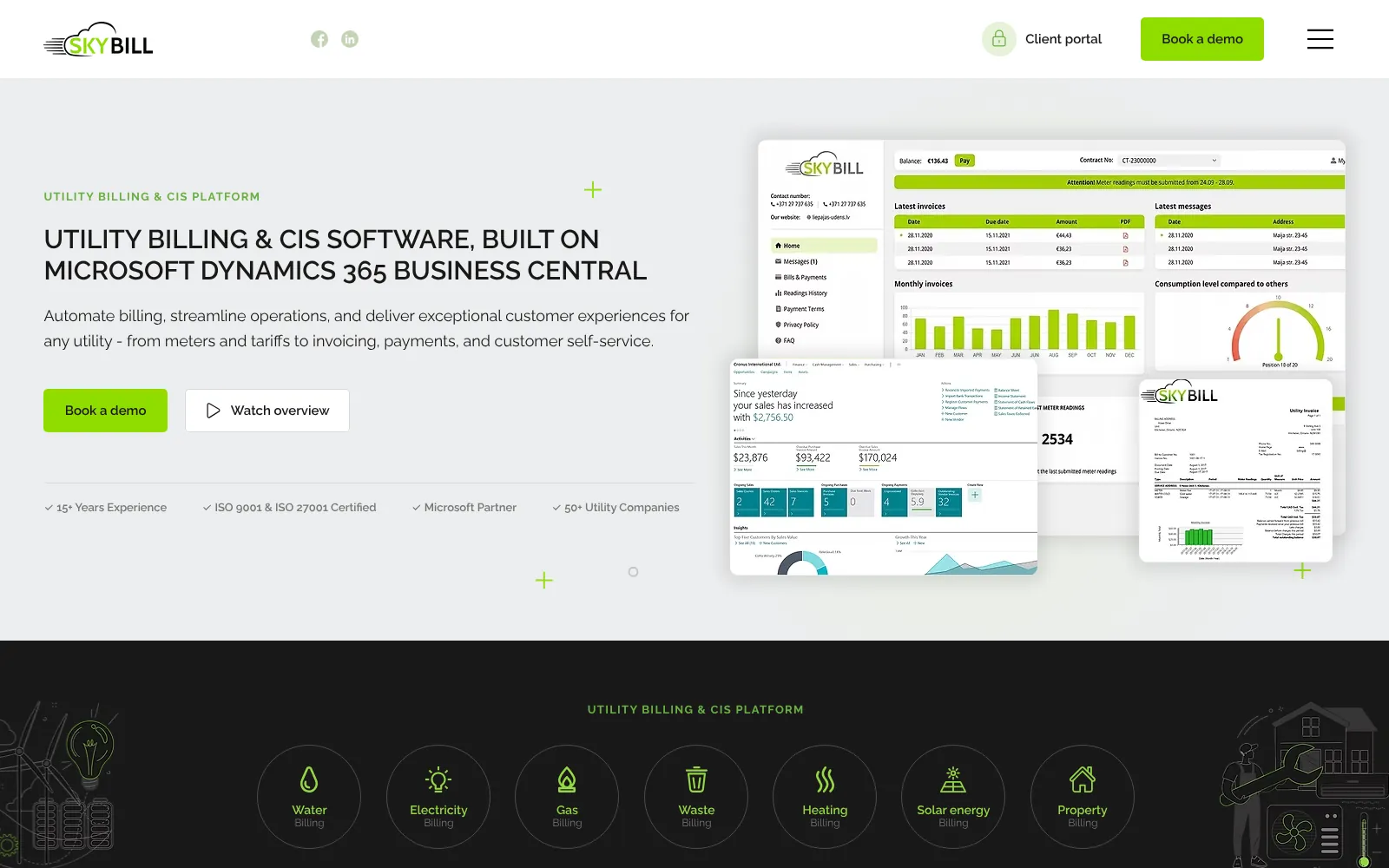
SkyBill builds a utility billing and customer information system (CIS) that runs inside Microsoft Dynamics 365 Business Central. It is used by heat network operators, water retailers and companies that bill tenants on behalf of landlords. Its clients include Community Utilities, part of the Amber group, which serves more than 15,000 apartments in the UK, as well as Watkins Energy and Pozitive Water. The company is ISO 9001 and ISO 27001 certified and has offices in Riga, Nicosia and the US.
The old site ran on WordPress with the WPBakery page builder and no longer matched the company. On some pages the contact form was replaced by the message “Form is not available”, test text had been left on pages, the name appeared in search results as both “SkyBill” and “Skybill”, and spam piled up in the comments every day. For a software company that buyers judge on precision, that is the worst possible first impression.
A client who writes specifications
SkyBill sells complex software itself, so before signing it set out eight conditions. They included a test environment to try the site before deciding, a written 301 redirect plan, keeping the existing colours, logo and style, measurable speed targets, training so the team can update the site themselves, and a 30-day warranty. Conditions like these make a project easier: from day one both sides know what the work will be judged on.
The client chose the platform. We offered two options, WordPress and Wix Studio, both with full ownership of the finished site. SkyBill chose Wix Studio because the team wants to update the site themselves in a visual editor without thinking about servers and updates.
Who visits the site
A billing system is never chosen by one person. Usually a technical evaluator and a finance or commercial director are involved, and before them an AI assistant has already read the site. We built the structure around the questions of all three.
The technical evaluator
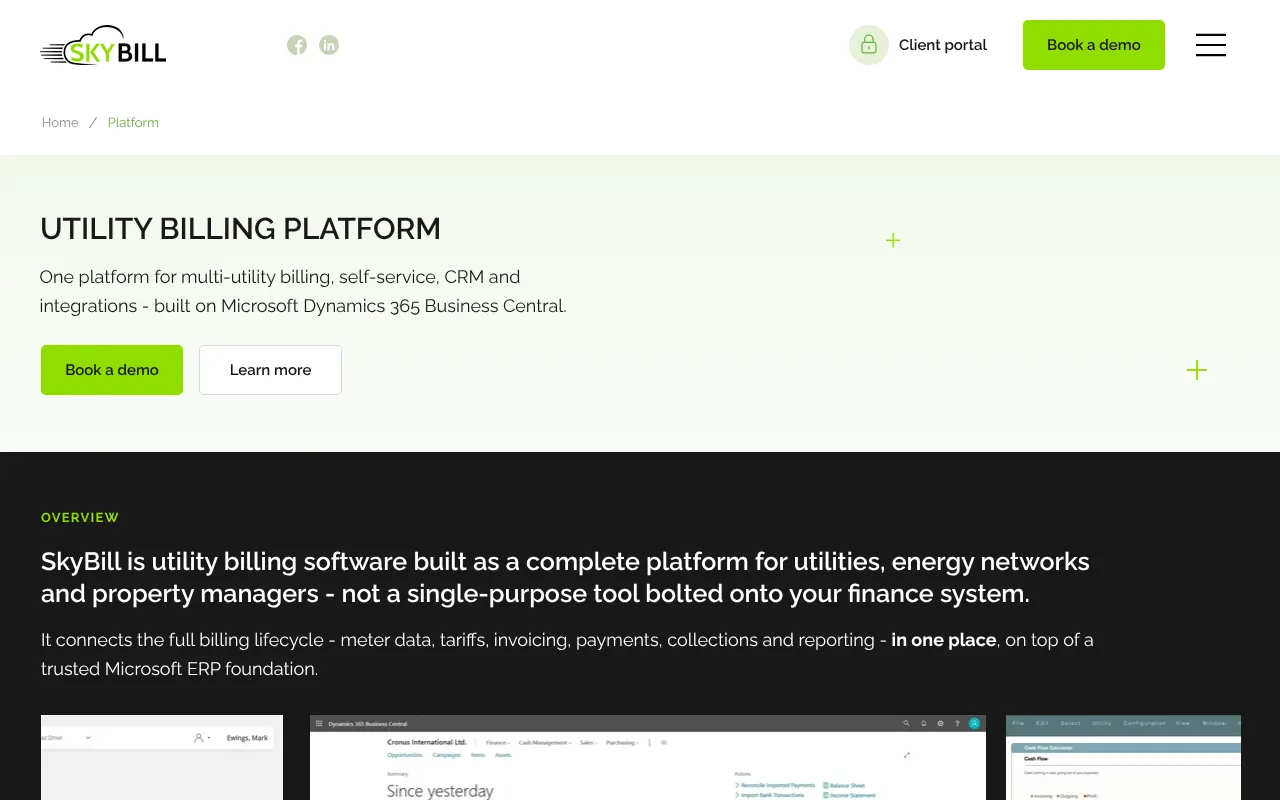
The head of IT or billing wants to know whether SkyBill can handle their tariffs, meters and integrations. The platform page shows the whole system in one place: tariffs, meter data, invoices, payments, CRM, reporting and the customer portal. It also says clearly that everything runs inside Business Central, not as a separate program next to the accounting system.
The finance or commercial director
They want to see who already uses the system and whether the vendor will still be around in five years. The homepage carries client logos, testimonials with names and job titles, certifications and links to case studies. The about page covers the history from 2004 to Microsoft AppSource and names the leadership.
The AI assistant
The newest reader does not see the design. It looks for a clear sentence about what the product is, who it is for and where it runs, and for facts it can quote. So every page opens with such a sentence, every industry page has an FAQ, and the code carries structured data.
What we built
- Homepage
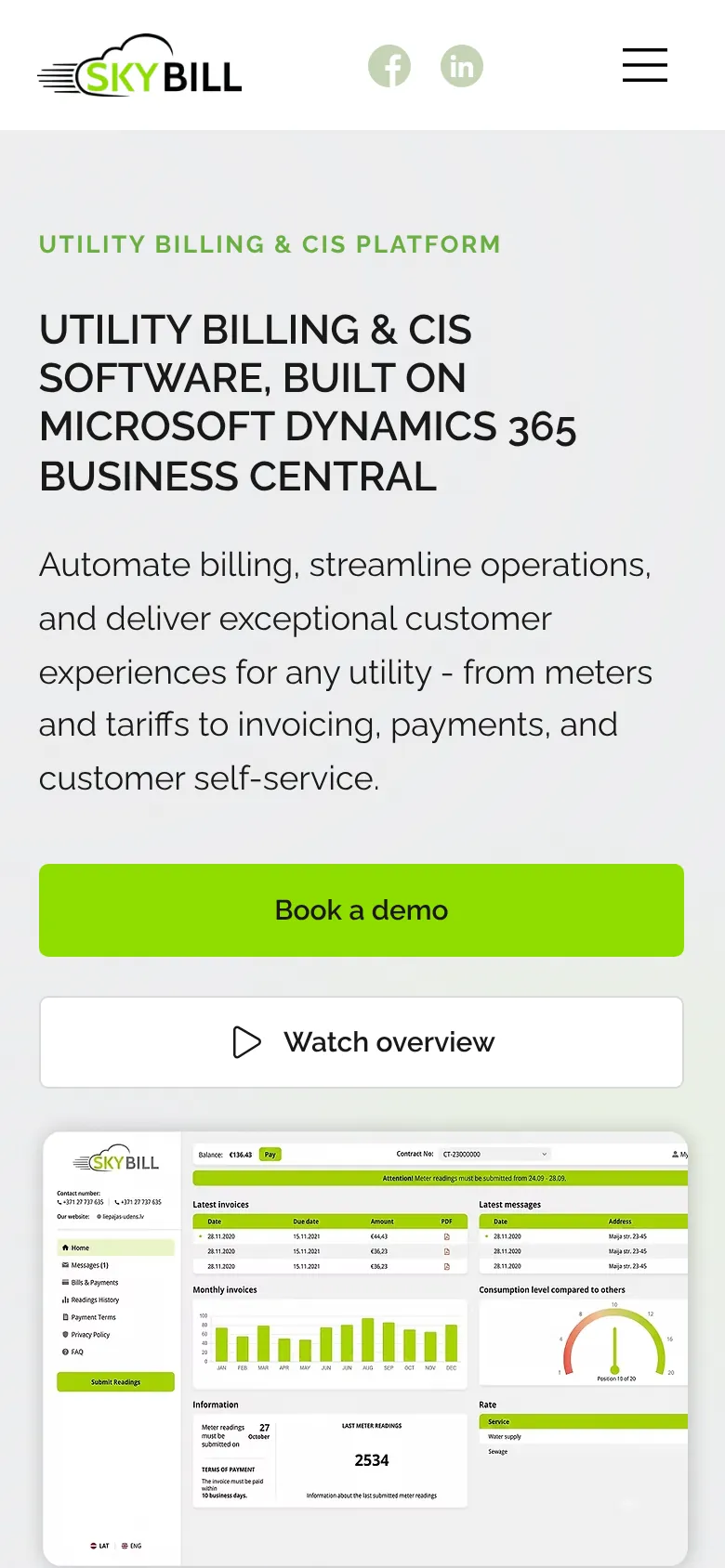
- The headline names the product and the platform: utility billing and CIS software built on Microsoft Dynamics 365 Business Central. Below it come four trust markers, industry cards, testimonials, case studies, meter manufacturer logos and an FAQ. The demo request sits in the header on every page.
- Platform
- A compact page without a large banner that shows the whole system in one place, from meter reading to paid invoice. It answers the search “utility billing platform”, and every industry page links back to it.
- Industries
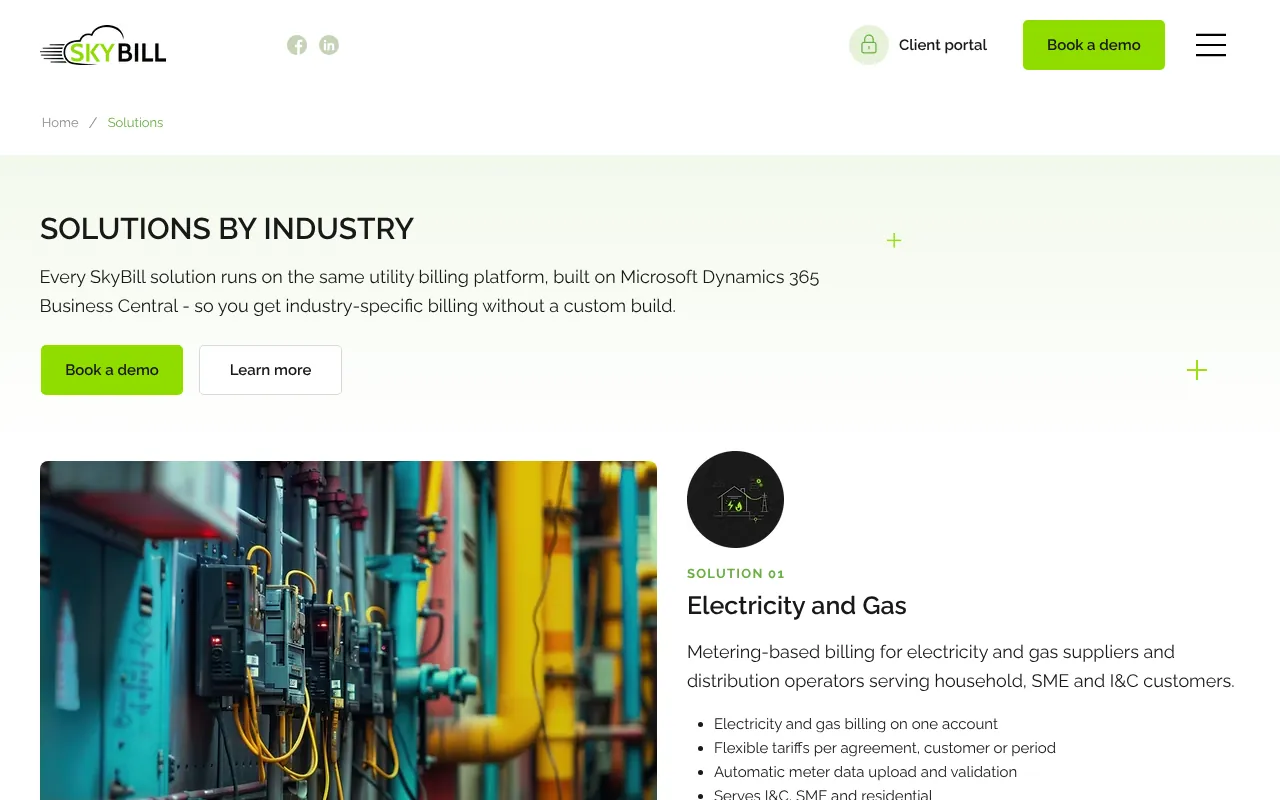
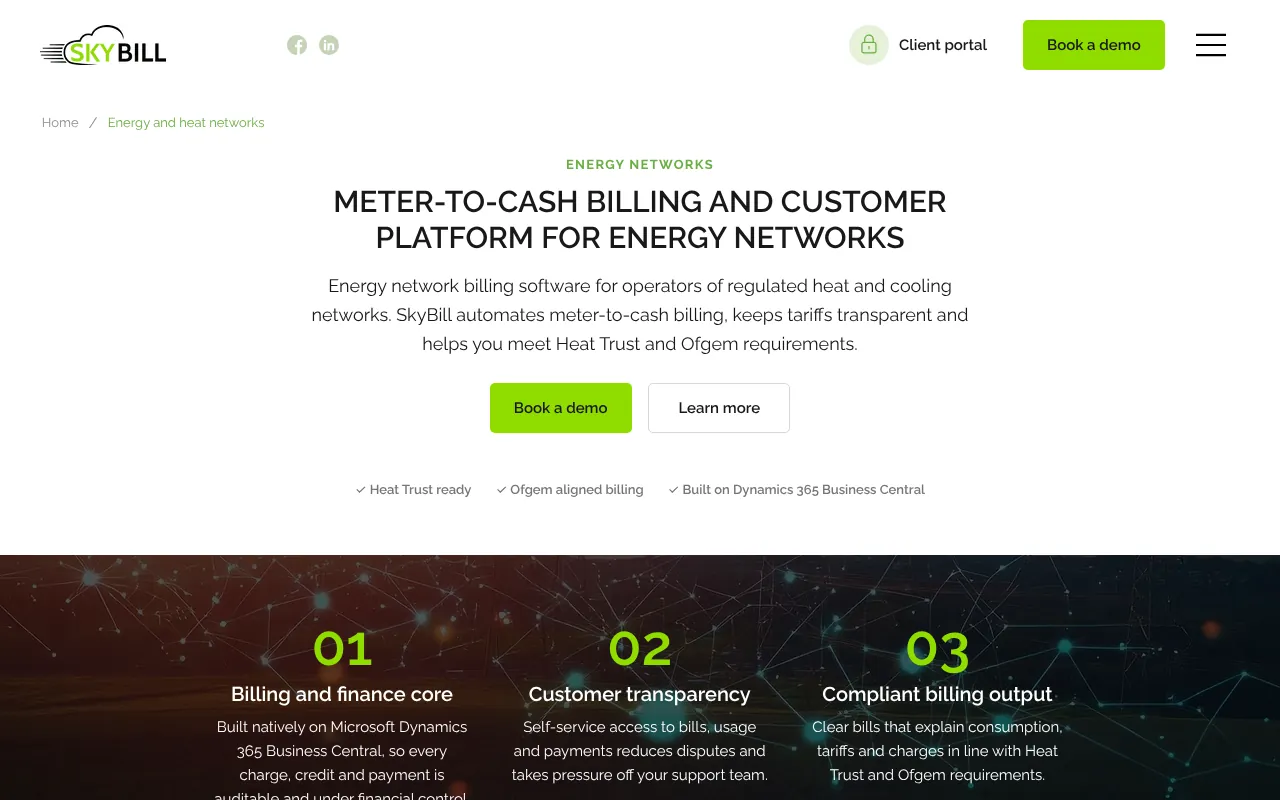
- Four pages: electricity and gas, water and wastewater, heat networks, property and rental billing. Each speaks the language of its industry, for example Heat Trust and Ofgem requirements for heat networks, and has 5 to 9 FAQ answers.
- Customer portal
- A separate page for the self-service portal that SkyBill clients give to their own customers: bills, consumption, meter readings and online payment.
- Articles
- 24 articles and case studies in the new blog, in three categories: useful articles, case studies and exhibitions. A shared resources page sorts them by topic.
- Contacts
- The Riga, Nicosia and Wilmington offices with addresses and phone numbers on one page, plus a demo request form.
So that Google and AI assistants find SkyBill
Every page has its own title and description that starts with what people search for, for example “Heat Network & District Heating Billing Software | SkyBill”. The company name is spelled the same way everywhere.
The code carries structured data. The company is described with its legal name, its address in Riga, its subsidiaries in Cyprus and the US, its leadership and the markets it serves. The product is described as a SoftwareApplication, the industry pages as a Service with their own audience, and the FAQs as FAQPage. Altogether the site holds 49 questions with answers that search engines and AI assistants can read without guessing.
robots.txt lets search engines in, the sitemap lists every page and article separately, and the site has an llms.txt file with a short company description for AI tools. Old WordPress addresses such as /utility-billing-software/ and /case-study/ lead to the new pages with 301 redirects, so links from partner sites, exhibition catalogues and old articles keep working.
Why Wix Studio, and what comes next
For new websites we recommend WordPress more often: with AI tools we build it faster, and the client owns both the code and the server. Wix Studio fits when a team wants the editor, hosting and security updates in one place. SkyBill chose Wix Studio, and we delivered it in full: with structured data, redirects and a separate mobile layout.
The cooperation continues. We will build the client’s next website on WordPress, so after a while the SkyBill team will have hands-on experience with both platforms in daily work, not just a comparison table. If they then want to move skybill.eu as well, the structure, texts and structured data will already be in place, and for an existing client the move will cost far less than a new website. We compare the two platforms in more detail in WordPress or Wix Studio.
What we learned
An AI assistant is a reader with its own needs
It does not see animations or photos. It needs one sentence that says what the product is, who it is for and where it runs, and that sentence has to match the structured data. If the page text says one thing and the code another, the AI assistant will pick a source it can trust.
Conditions before the contract are an advantage
SkyBill’s eight conditions became our checklist. The project had fewer surprises, because questions about redirects, ownership and the warranty were settled before the first design view.
Redirects are part of the design
A B2B company collects links from partners, exhibitions and old articles for years. If they lead to an error page after a rebuild, both visitors and search engine trust are lost. That is why we wrote the redirect plan before the design, not after launch.
How it works day to day
The SkyBill team publishes articles and case studies themselves in the Wix Studio editor. A new article appears right away in its category, on the resources page and in the sitemap for search engines. The site is built from reusable blocks, so a new industry page or section can be added without breaking the design. Cookies are handled by a consent banner with a reject button.
What you can repeat
- Open every page by saying what the product is, who it is for and where it runs
- Give every industry or customer group its own page with its own terms
- Put an FAQ on the page and the same questions in FAQPage data
- Spell the company name the same way in the text, the title and the structured data
- Write the redirect plan before the design, not after launch
- Check that robots.txt and the firewall do not block AI crawlers
Check for yourself
Everything you've read about is live. Open skybill.eu and explore these sections yourself.
Frequently asked questions
How much does a website for a software company cost?
A simple website starts from €600 + VAT. A B2B site with industry pages, a blog, structured data and redirects from the old site is a larger project, and we price it by specification. Tell us about your product and markets, and we will reply with a sitemap and an estimate.
Is Wix Studio good enough for B2B SEO and AI search?
Yes, if the site is built properly: a page for every topic, its own title, structured data and redirects from the old addresses. skybill.eu is exactly that kind of example. WordPress gives more freedom in code and hosting, which is why we recommend it more often for new websites.
Can you change platforms without losing Google rankings?
Yes, if every old address leads to the matching new page with a 301 redirect and the titles and content do not get weaker. We write the redirect plan before development and check the old addresses after launch.
Do you build websites for foreign markets?
Yes. skybill.eu is in English, and its buyers are in the UK, Europe, the US and the Middle East. We build the structure, titles and FAQ around how buyers in that market search, rather than translating Latvian text.