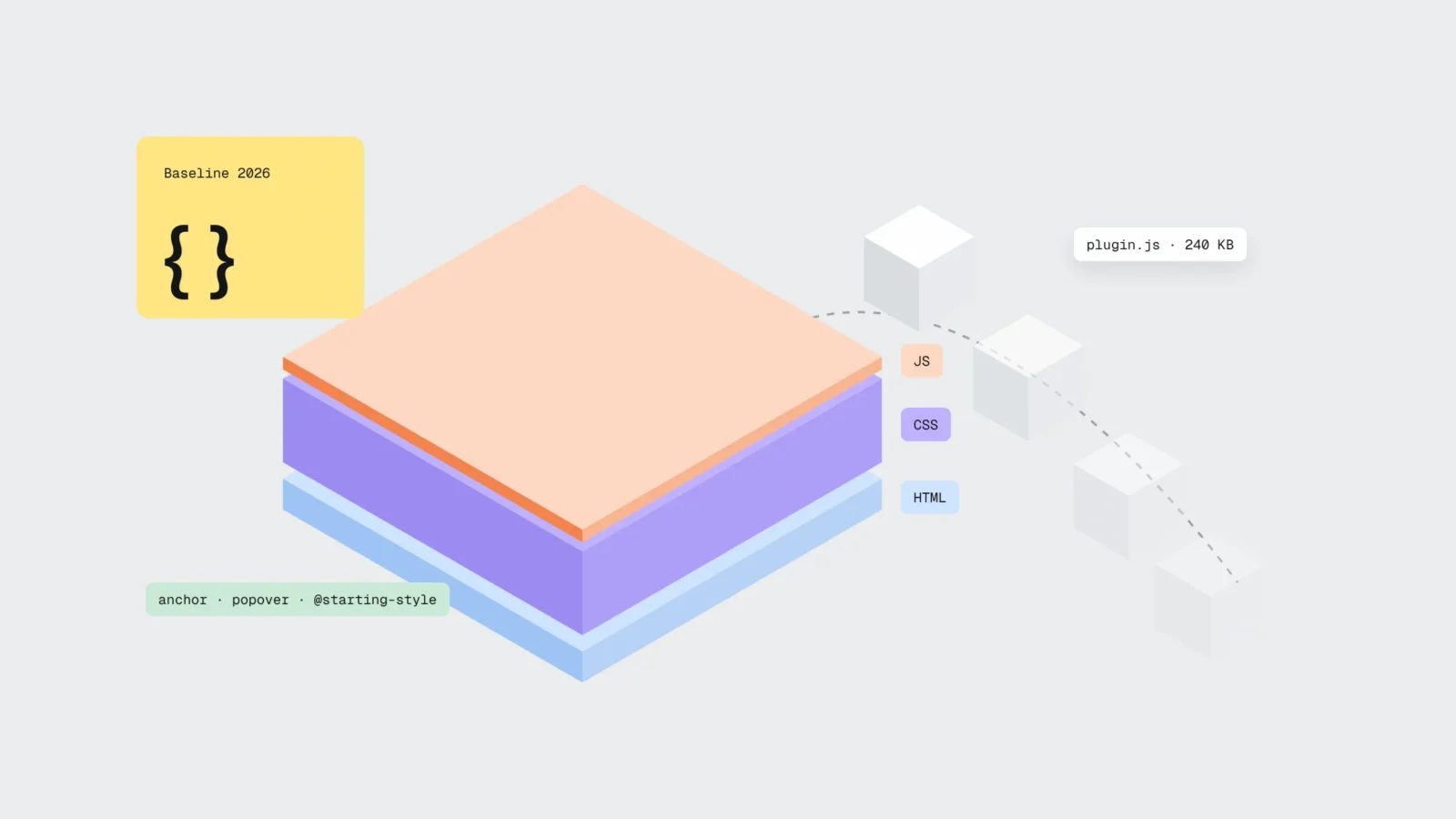
In 2026, browsers can do much of what a WordPress site usually installs a JavaScript plugin for: pop-ups, tooltips and menus attached to a button, accordions, entry animations and scroll effects. Popover, dialog, @starting-style, container queries, :has() and relative colours have worked in Chrome, Edge, Firefox and Safari for at least a year, anchor positioning since Firefox 147 on 13 January 2026, and scroll-driven animations since Firefox 159 on 27 October 2026. Every plugin you replace with built-in browser features means less JavaScript for a phone to download and run, a lower risk of slow response to taps (INP) and one less update every month. The customisable select, reading-flow, masonry layout and CSS random() are not in every browser yet, so use them only where an older browser can show a simpler version without breaking the page. You still need JavaScript for forms, filters, the cart, analytics and anything that has to remember a visitor’s choice. This article was prepared on 14 November 2026.
Latest on CSS features in browsers
- 27.10.2026
- Firefox 159 turns on scroll-driven animations (animation-timeline). The feature becomes Baseline: it now works in Chrome, Edge, Firefox and Safari.
- 26.10.2026
- Safari 27.2 is the first browser to ship grid lanes, also known as masonry layout. Chrome, Edge and Firefox do not support it yet.
- 10.2026
- Chrome 156 adds the CSS random() function. Safari shipped it first; Firefox has not yet.
- 14.09.2026
- Safari 27 adds the customisable select (appearance: base-select), available in Chrome and Edge since April 2025. Firefox does not have it yet.
- 12.02.2026
- Browser vendors announce Interop 2026: 20 areas where browsers commit to behaving the same, including anchor positioning, dialogs and popovers, scroll-driven animations, container style queries and View Transitions.
- 13.01.2026
- Firefox 147 enables anchor positioning, and web.dev marks it as Baseline.
What each visual plugin costs you
A slider, pop-up or animation plugin looks like one feature on the page, but for a phone it usually means two or three files: the script, its stylesheet and often jQuery or another library it depends on. In the HTTP Archive 2025 Web Almanac, the median mobile page loads 22 JavaScript files and 646 KB of compressed JavaScript. Uncompressed, the code is several times larger, and the phone’s processor has to parse and run all of it.
The cost comes in three forms:
- Loading and speed. The more scripts, the longer the phone stays busy and the slower the page responds to the first tap. That is what INP measures, and visual plugins are among the usual culprits. We explained how INP is measured and where to find it in Your site loads fast but feels slow.
- Security. Every plugin is code from another developer with its own vulnerabilities and its own update schedule. Why most WordPress hacks start in plugins is covered in WordPress plugins as a security risk.
- Maintenance. Every update has to be checked, because a new slider version can break the home page, and a plugin its author stops updating becomes a problem within a year.
In our view, a visual plugin earns its place only when it does something the browser cannot. In 2026 that list is far shorter than it was three years ago.
What works in all major browsers in 2026
Browser vendors label features with a Baseline status. “Newly available” means a feature works in the latest versions of Chrome, Edge, Firefox and Safari on desktop and mobile. “Widely available” follows 30 months later, when most people have updated their browsers. This list covers the things a business website most often does with a plugin.
Pop-ups: popover and dialog
The HTML popover attribute lets an ordinary button open a panel, menu or notice without a single line of JavaScript. The browser shows it above the rest of the content and closes it on Esc or on a click outside. Baseline since 27 January 2025. The <dialog> element for modal windows has worked in every browser since 2022: it keeps focus inside while open, and one line of JavaScript opens it. Together they replace pop-up plugins, mobile menus and newsletter sign-up windows.
Tooltips and menus next to a button: anchor positioning
Anchor positioning tells the browser: “place this panel below this button, and if there is no room below, above it”. This used to need libraries that recalculate the position on every scroll. Chrome and Edge have supported it since version 125, Safari since 26 and Firefox since 147 in January 2026. Combined with popover, it replaces tooltips next to prices, dropdown menus and small explanation panels. Anchor positioning is also on the Interop 2026 list, so browsers are still aligning some details.
Accordions: details with name
The <details> element with <summary> is an accordion without a script, and the name attribute keeps only one question in a group open at a time. Baseline since 3 September 2024. The text stays in the HTML, so Google, AI assistants and the browser’s find-in-page (Ctrl+F) can all see it.
Entry animations: @starting-style
With @starting-style, an element that has just appeared, such as an opened panel or menu, can slide or fade in with a CSS transition. This used to require a script that adds a class after a one-frame delay. Baseline since 6 August 2024.
Scroll effects: scroll-driven animations
animation-timeline ties an animation to scrolling: a reading progress bar, an image that appears as it enters the screen or a subtle parallax. This used to be done with animation libraries listening to every scroll event. Chrome has supported it since 2023, Safari since version 26, and with Firefox 159 on 27 October 2026 it became Baseline. The browser can run animations of transform and opacity separately from the page’s main work, so they do not get in the way of responding to taps.
Components that adapt to their space: container queries
Container queries let a component change its layout based on how much room it has itself, regardless of the window. A service card in a three-column grid on the home page and the same card in a narrow sidebar each fit their place without two versions and without a script measuring widths. Widely available since 14 August 2025. In a September 2026 Smashing Magazine article, Victor Ayomipo recommends media queries for page layout and container queries for individual components, which is how we design in Figma. Container style queries (styling based on a variable’s value) are still being aligned under Interop 2026.
State without a script: :has()
The :has() selector styles an element based on what it contains: a card with an image differently from one without, a form group with an invalid field in a red frame, a menu with an open submenu. These used to need small scripts that add classes. Widely available since 19 June 2026.
Shades from one colour: relative color syntax
Relative colour syntax (rgb(from var(--brand) r g b / 0.6) and similar) derives a lighter button background, a darker hover state or a transparent shadow from a single brand colour. Baseline since 16 September 2024. It helps development more than loading, but it means the brand colour can be changed in one place.
What browsers are still rolling out
In its CSS Wrapped 2025 review (December 2025), the Chrome team listed 22 new CSS features that reached Chrome that year, and some of them are still missing in other browsers. These features can be tried already, but as of November 2026 they do not work in all major browsers. Use them only where a browser without support shows an acceptable simpler version.
- Customisable select (
appearance: base-select). The standard dropdown can be fully styled, including images in options. Chrome and Edge since version 135 (April 2025), Safari since 27 (September 2026), not in Firefox yet. In her LogRocket article “CSS in 2026”, Jemima Abu compares: a similar JavaScript dropdown would take more than 150 lines, while the customisable select needs an ordinary<select>, a few data attributes and CSS. The browser handles keyboard navigation and focus, and Firefox shows a regular dropdown. - reading-flow. Aligns keyboard navigation order with the visual order when items in a grid or flex layout are rearranged. Chrome and Edge only for now.
- Grid lanes, or masonry. A Pinterest-style layout for a portfolio or gallery without a script. Safari 27.2 only for now.
- CSS random(). A random value directly in CSS, for example a slightly different rotation for each card. In an October 2026 Smashing Magazine article, Brecht De Ruyte recommends it for decorative details and advises against it for layout and buttons. Safari and Chrome 156, not Firefox yet.
- Tooltips on hover (
interestfor). Chrome and Edge only, so for now we build tooltips that open on click or tap.
Jemima Abu herself warns that “Most of these features are very new and still rolling out across browsers”. On client sites we use them only as an enhancement on top of a working base version.
What a visitor with an older browser sees
Progressive enhancement means the basic version of the page works everywhere, and a new feature only adds something where the browser supports it. In CSS this is the @supports rule: if the browser does not support a feature, it skips the rule and shows the regular styling.
- Scroll animation: an older browser shows the content straight away, without the animation. Content has to be visible without it, so we never hide it with
opacity: 0until the animation starts. - Customisable select: Firefox shows the standard system dropdown, and the choice works.
- Anchored panel: a browser without support shows it in a simple position, for example at the bottom of the screen.
- We turn animations off or tone them down for people who have enabled “reduce motion” on their device (
prefers-reduced-motion). More on that, and on transitions between pages, in Page transitions that feel like an app.
Built this way, a site does not have to wait for the last browser to ship a feature. Support grows by itself as people update their browsers.
Where you still need JavaScript
CSS and HTML replace styling and simple behaviour. Anything that has to remember data, talk to the server or make a decision stays in JavaScript or server code:
- forms with submission, complex validation and spam protection;
- filters, search and sorting in a catalogue or online store;
- the cart, checkout, payment and delivery options;
- analytics and cookie consent: the banner itself can be a popover, but the choice has to be stored and passed to analytics tools;
- bookings, calendars, maps and calculators;
- a carousel with autoplay and dots. CSS
::scroll-markerworks only in Chrome for now, and in our view an autoplaying home page slider is usually not needed at all.
The goal is less JavaScript where it is unnecessary. JavaScript itself does not need to go.
Example: a tourism company’s WordPress site in Cēsis
Suppose a company in Cēsis runs canoe trips on the Gauja river and guided hikes. Its WordPress site has 14 plugins. Five of them exist only for visual effects: a home page slider, a pop-up with a discount code, an accordion on the FAQ page, tooltips in the price table (“what the trip includes”) and an animation plugin that slides blocks in as you scroll. Two of them load jQuery. During the summer season, Search Console shows a mobile INP of 310 ms, in the “needs improvement” range, and there are 9 plugin updates a month on average.
What was replaced
- Slider. The home page now has one large image with a heading and a “Book a trip” button. Six route photos moved to a horizontal gallery with CSS scroll-snap that you swipe on a phone.
- Pop-up. The discount window became a
<dialog>that opens with an @starting-style animation, and only after the visitor has scrolled down to the list of routes. - Accordion. The 18 FAQ questions are now in
<details name="faq">elements, and the text is in the HTML. - Tooltips. Each price has an “i” button that opens an explanation below the price using popover and anchor positioning.
- Animations. Blocks appearing on scroll are handled by
animation-timeline: view()inside an@supportsrule. In browsers without support, the blocks are visible straight away.
The other 9 plugins stayed: forms, the booking calendar, SEO, caching, security, backups, translations, cookie consent and image optimisation. The work took about 14 hours of developer time, and everything was tested on a copy of the site first.
Results after 28 days
JavaScript on the mobile home page dropped from about 410 KB to 120 KB, because no front-end plugin needed jQuery any more. Mobile INP in Search Console fell from 310 to 140 ms after 28 days, into the “good” range. Plugin updates dropped to 5 a month on average, and the most troublesome one disappeared: the slider update that always meant checking the home page. The site looks the same, and the FAQ text now shows up in Google because it no longer sits inside a script.
A 30-minute check: which plugins can go
- Plugin list. In the WordPress admin, open “Plugins” and mark the ones that only do something visual: sliders, pop-ups, accordions, tabs, tooltips, animations, galleries.
- JavaScript size. In Chrome DevTools, open the Network tab, choose the JS filter, switch on device mode and reload the home page. The bottom bar shows the number of files and their size.
- INP. In PageSpeed Insights, look at mobile INP in the real-user section. If it is above 200 ms, visual plugins are the first suspects.
- Where each plugin is used. For every marked plugin, note the pages where it actually does something. A slider is often on one page while its script loads on all of them.
- Switch off on a copy. On a copy of the site (not the live one), deactivate one plugin and see what disappears. That shows how much work replacing it would take.
- Browsers. Open the site in Chrome, Firefox and Safari on a phone. If an effect works in only one of them, it is already worth reviewing.
- Updates. Count how many plugin updates there were last month and how many of them were for visual plugins.
What to do this month
- Mark the plugins that only do something visual on your site.
- Measure the JavaScript size of your home page on mobile.
- Check mobile INP in the PageSpeed Insights real-user data.
- On a copy of the site, deactivate one visual plugin and see what changes.
- Make sure content is visible without animations.
- Keep accordion and FAQ text in the HTML, not inside a script.
Frequently asked questions
Can CSS replace WordPress plugins?
Visual plugins, often yes. In 2026, all major browsers handle pop-ups (popover, dialog), tooltips and menus next to a button (anchor positioning), accordions (details), entry animations (@starting-style) and scroll effects (scroll-driven animations) natively. CSS does not replace plugins for forms, bookings, SEO, caching, security or backups.
What happens if a visitor has an older browser?
If the site is built with progressive enhancement, an older browser shows a simpler version: content without animation, a standard dropdown or a panel in a simple position. The CSS @supports rule skips anything the browser does not understand, so the page does not break.
Do CSS animations slow a site down?
The browser can run animations of transform and opacity separately from the page’s main work, so they are usually lighter than animations from a JavaScript library that listens to every scroll. Animations that change size or position in the layout can slow a page, so we do not build those.
Which new CSS features are not in every browser yet?
As of November 2026: the customisable select (not in Firefox), reading-flow (Chrome and Edge only), grid lanes or masonry (Safari 27.2 only), CSS random() (not in Firefox) and hover tooltips with interestfor (Chrome and Edge only). Current status is listed on web.dev Baseline and MDN pages.
Do I need to rebuild the whole site to drop plugins?
No. Plugins can be replaced one at a time, starting with the one that loads the most JavaScript or needs updating most often. Each change is tested on a copy of the site, and the design can stay exactly the same.
How much does it cost to replace visual plugins?
It depends on how many plugins there are and on how many pages use them. Our maintenance plan from 60 € + VAT a month includes up to 1 hour of work on the site, enough to replace an accordion or tooltips, for example. For larger jobs we review the site first and give you the scope in hours.
A site with only the plugins it needs
On a new business website from 1400 € + VAT, ready in 2-3 weeks, we build panels, menus, accordions and animations into the WordPress theme with HTML and CSS, and use plugins only for forms, SEO, caching and security. If you already have a site, send us its address and your plugin list or call +371 25 640 062. We will tell you which plugins can be replaced and how much JavaScript that would remove. For sites built by someone else, our maintenance starts with a check of plugins, backups and access. If you are considering a bigger rebuild, there is a worked calculation in How to tell whether a website redesign will pay off.
Sources
- web.dev: Baseline (definition of Newly available and Widely available)
- web.dev: Interop 2026: Continuing to improve the web for developers (12.02.2026)
- wpt.fyi: Interop 2026 dashboard
- web.dev: New to the web platform in January (2026)
- web.dev: New to the web platform in October (2026)
- MDN: Firefox 147 release notes for developers (13.01.2026)
- MDN: CSS anchor positioning
- Web platform features explorer: Scroll-driven animations
- Web platform features explorer: Popover
- Web platform features explorer: Customizable select
- Web platform features explorer: reading-flow
- Web platform features explorer: Grid lanes
- Chrome for Developers: CSS Wrapped 2025 (08.12.2025)
- HTTP Archive: Web Almanac 2025, Page Weight
- Smashing Magazine: Stop Treating CSS Container Queries Like Traditional Media Queries (Victor Ayomipo, 16.09.2026)
- Smashing Magazine: Embracing Playful Imperfection With The CSS random() Function (Brecht De Ruyte, 20.10.2026)
- LogRocket: CSS in 2026: The new features reshaping frontend development (Jemima Abu, 21.01.2026)