On a WordPress site the security risk almost always sits in the plugins, and WordPress core is the smallest part of the problem. Patchstack’s data for 2025: of 11,334 newly disclosed vulnerabilities, 91% were in plugins, 9% in themes, and only 6 were found in core all year, all of them low priority. In October 2026 two supply chain attacks happened within one week. The paid SEO plugin Rank Math PRO 3.0.123 was distributed with malware from the vendor’s own system for about 11 hours, and connection keys stolen from the developer of the backup plugin UpdraftPlus were used to plant hidden backdoors on websites. In both cases the site owners had done nothing wrong. What protects you is fewer plugins, official sources only, reviewed access and a backup stored off the server. Below is a check you can run in 40 minutes and an example with a guesthouse in Jūrmala.
Latest on the plugin incidents
The key events of October 2026. The newest entry is at the top.
- 29.10.2026
- TeamUpdraft updated its notice: it has also found sites compromised during the incident that show no obvious signs. Run the checks even if your site looks normal.
- 19.10.2026
- UpdraftPlus 1.26.13 (free) and 2.26.13 (Premium) were released and revoke the affected UpdraftCentral keys automatically. Patchstack counted 99 different fake plugin names used to plant backdoors.
- 18.10.2026
- TeamUpdraft found that on 17-18 October someone accessed the teamupdraft.com customer database, which also held UpdraftCentral, UpdraftVault and UpdraftClone connection keys. Patchstack recorded the first attacks using them that same afternoon.
- 17.10.2026
- The Rank Math PRO 3.0.123 incident was assigned CVE-2026-111862 with a CVSS score of 9.8 out of 10.
- 16.10.2026
- Rank Math announced malware in PRO 3.0.123, removed the infected files and released a clean version, 3.0.124.
What happened in October 2026
Rank Math is one of the most popular WordPress SEO plugins, and its free version from wordpress.org runs on more than 4 million sites. Between 20:02 UTC on 15 October and 07:12 UTC on 16 October, the vendor’s download and update system delivered the paid version PRO 3.0.123 with malware built in. Once activated, it set up persistent access, recreated hidden backdoors on every page visit and could read the database passwords and API keys stored on the server.
Rank Math removed the infected files and released 3.0.124. The vendor warns that deactivating the plugin is not enough: a site where 3.0.123 was activated should be treated as compromised and restored from a backup made before 15 October. The free version was not affected. Rank Math has not yet said how many customers received the infected build or how the files got into its system.
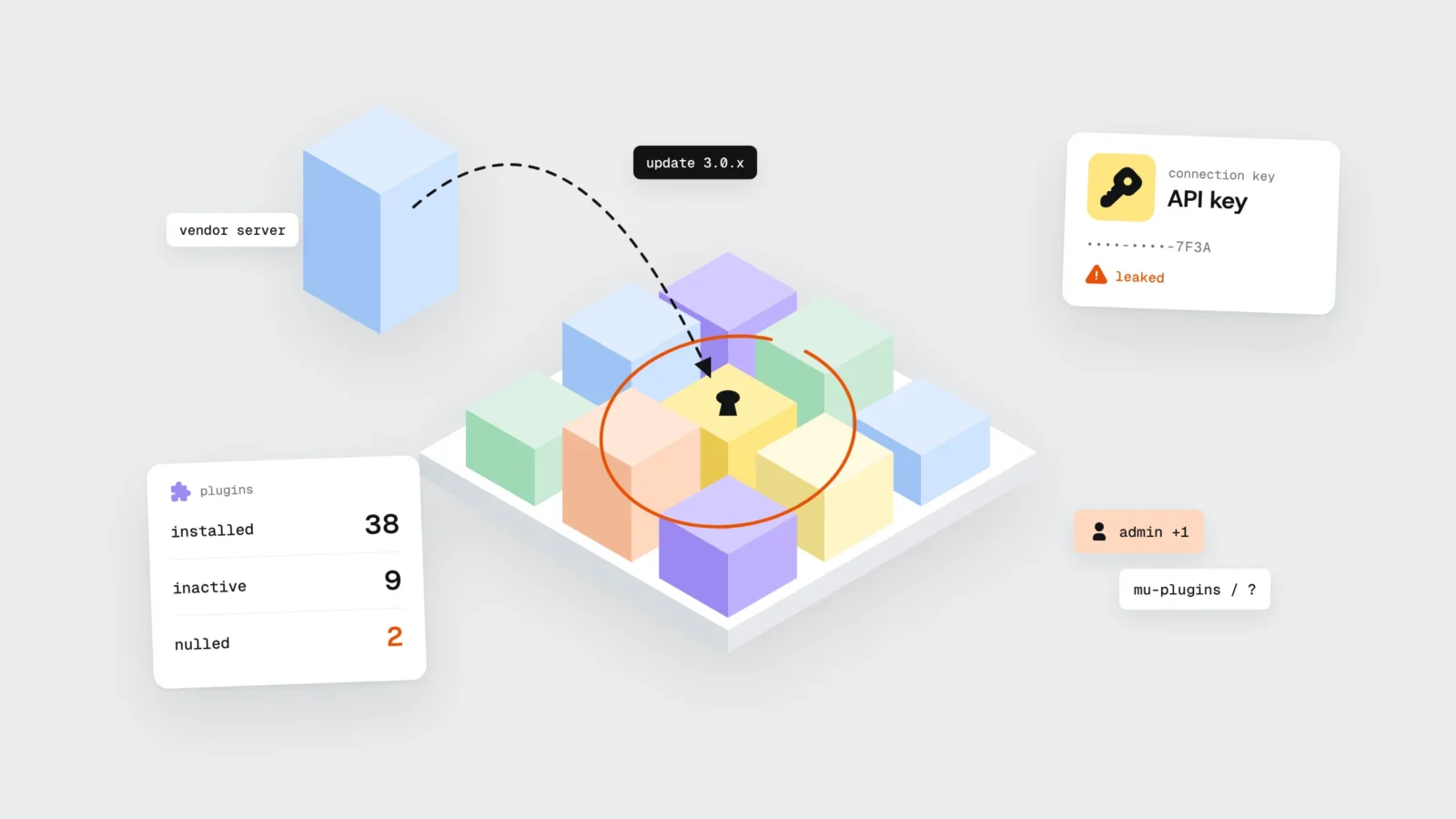
Two days later, on 17-18 October, someone got into the TeamUpdraft website. TeamUpdraft makes UpdraftPlus, the most popular WordPress backup plugin with more than 4 million installs. The plugin itself and its downloads stayed clean. The attacker obtained the customer database, which also held UpdraftCentral connection keys. UpdraftCentral is a dashboard for managing many sites at once, and the key lets it send commands to a site.
With the stolen keys the attacker installed fake plugins on sites, with names that sound like maintenance or speed tools. The plugin created a hidden account with administrator rights that looks like an ordinary Editor in the user list. BleepingComputer estimates that about 10% of UpdraftPlus sites have an UpdraftCentral key, so up to 400,000 sites could be exposed.
This is what a supply chain attack looks like. The attacker goes after the developer or its infrastructure, and the malware reaches websites through a channel the owner trusts: an official update or a management dashboard.
The April case: plugins someone bought
Spring 2026 showed another route. The developer EssentialPlugin had published more than 30 free plugins in the wordpress.org directory since 2015. In early 2025 the business was sold through the Flippa marketplace to a new owner. In August an update came out whose changelog mentioned only a compatibility check with the latest WordPress, while the code contained a hidden backdoor.
It lay dormant for about eight months and switched on during 5-6 April 2026. On 7 April WordPress.org closed all 31 plugins and the next day pushed a forced update that disabled the backdoor. That update did not clean code already written into sites’ wp-config.php files. Anchor Hosting, which uncovered the incident, points out one more detail: WordPress.org does not tell users when a plugin changes owner.
Why the risk is in plugins and not in WordPress core
Patchstack’s report on 2025 lists 11,334 new vulnerabilities in the WordPress ecosystem, 42% more than the year before. 91% were in plugins and 9% in themes. Core had 6 during the whole year, all rated low priority. For 46% of the vulnerabilities, the developer had no fix ready at the time of disclosure.
Paid plugins are no safer than free ones. They accounted for 29% of the reports, and 76% of those were exploitable in real attacks. Premium components had about three times as many known exploited vulnerabilities. In our view, part of the reason is that fewer people see and review paid code.
Speed is the second problem. For the most attacked vulnerabilities, the median time to mass exploitation was 5 hours, and about half of high-impact vulnerabilities were exploited within the first 24 hours. If nobody follows updates on your site, a weekend is long enough.
There are exceptions. October’s PHP2Shell vulnerability was in PHP itself, and updating plugins did not help there. Day to day, though, most of the risk is decided by what is installed in wp-content/plugins.
Four places where plugin risk hides on a site
This list is what we see when we review sites before taking over their maintenance.
- Nulled (pirated) premium plugins. Forums and “GPL clubs” offer paid plugins without a licence. Such a copy gets no official updates, and you cannot know whether something was added to the code. In a 2025 investigation of redirect malware, Sucuri lists pirated plugins and themes among the likely entry points. A licence often costs 50-100 € a year.
- Inactive and abandoned plugins. An inactive plugin is still on the server, and some vulnerabilities work even when it is switched off. A plugin that has not been updated for years or has been closed in the wordpress.org directory will not receive fixes.
- Licence keys and connections. Premium plugin licences, multi-site management dashboards, API keys for email, payments and cloud storage. Every key is a door into your site, and a copy of it lives in someone else’s database. In October the keys were stolen from the developer while site owners did nothing at all.
- Access. A former developer’s administrator account, one password shared by three people, a hosting panel without two-factor authentication, a licence account on the vendor’s site with the same password as your email. In the TeamUpdraft incident password hashes leaked too, so the developer asks customers to change the password everywhere it was reused.
A 40-minute self-check
You need administrator access to the WordPress dashboard and, if possible, to the hosting file manager. Make a backup before you delete anything.
- Plugin list (10 min). Open Plugins → Installed Plugins and note how many are active and how many inactive. For each active plugin, open its page on wordpress.org or the vendor’s site and check when the last version came out. Mark the ones not updated for more than a year, the ones wordpress.org shows as closed, and any you cannot trace to a source.
- Inactive and pirated plugins (5 min). Delete inactive plugins. Treat any paid plugin without a licence in your vendor account as pirated: buy a licence and reinstall it from your own account, or replace it.
- Users (5 min). Open Users → All Users and filter administrators and also editors. Every account should belong to a specific person who works on the site now. If you find an account you don’t recognise, don’t delete it straight away: it is a sign of compromise, and what to do is described in the section on suspicions below.
- Two-factor authentication (5 min). Check that administrator logins require a second step, such as a code from an app. Ask for the same on your hosting panel, domain registrar and plugin vendor accounts.
- Connections and keys (5 min). If the site runs UpdraftPlus, open Settings → UpdraftPlus Backups → Advanced Tools → UpdraftCentral and delete keys you don’t use. Patchstack warns that a key can exist even if you never used the dashboard. Review other management dashboards and API keys in plugin settings too.
- Backups (5 min). Find out where the latest backup is stored. If it is only on the same server, it won’t be there after a hack or a server failure. You need a copy off the server, in cloud storage or on another server, going back at least 30 days, because a hack is often noticed weeks later. Once a year, test that the site can actually be restored from it.
- Automatic updates (5 min). The “Automatic updates” column in the plugin list shows which plugins have them on. WordPress has supported this since version 5.5. Our view: for a site nobody maintains regularly, automatic updates are safer than plugins left unpatched for months. The Rank Math case shows the other side, because the infected build could also arrive as an update. For an online store or a site with bookings, it is better to test updates on a copy first and follow security notices.
Example: a guesthouse in Jūrmala with 38 plugins
Suppose a guesthouse in Jūrmala has 8 rooms and a WordPress site with a booking form. A freelancer built the site four years ago, and since then the owner has been adding to it herself. The plugin list shows 38 plugins: 29 active and 9 inactive. Two of the active ones are paid plugins, a page builder add-on and the Pro version of a booking calendar, downloaded from a forum because the licences together would have cost about 140 € a year. The host makes a backup every day but keeps only 14 days, on the same server.
In mid-July a guest sends a message: the link from the Instagram profile opens a casino ad. The owner opens the site on her laptop and everything looks fine. The malware redirected only phones and only visitors who were not logged in. Many redirect infections behave this way: Sucuri has described variants that skip logged-in users and search engine bots so the owner notices nothing. Checking on a phone in a private window, opening the site from Google search, shows the redirect immediately. Search Console already has a warning under “Security issues”.
The review turns up:
- a hidden administrator with a name that sounds like technical support, created 23 days earlier;
- an unknown file in the mu-plugins folder that doesn’t appear in the plugin list, plus extra code in the theme’s functions.php;
- a break-in date that matches the day one of the forum plugins was updated, and the new “version” also came from the forum.
All 14 backups are already infected, because the oldest one was made after the break-in. So the site can’t simply be restored and has to be cleaned by hand. That takes two days, during which the site is in maintenance mode and bookings are taken by phone:
- WordPress core and every plugin reinstalled from wordpress.org and the vendors’ accounts, theme files compared against the original;
- licences bought for both forum plugins, the 9 inactive plugins deleted and 8 more active ones removed because they duplicated others (two caching plugins, three sliders, an old social media widget), leaving 21 active;
- every password, the database password and the WordPress security keys changed, two-factor authentication turned on for all administrators, the former developer’s account closed;
- daily backups now kept off the server for 30 days;
- a review request sent in Search Console, and the warning disappears four days later.
The redirect ran for 23 days, mostly in July, the peak of the season in Jūrmala. About 40% of the guesthouse’s bookings come directly through its own site. Compared with July the year before, there were 12 fewer direct bookings in that period. At an average of 2.5 nights and 95 € a night, that is about 2850 € of lost revenue, plus two days in maintenance mode and the clean-up work. The saving on licences was 140 € a year. Because the booking form holds guests’ names and phone numbers, the owner also had to assess the data breach notification duty, which we cover in Vibe-coded website: cheap today, expensive a year later.
What to do if you suspect a hack
- Check the site on a phone in a private window and by opening it from a Google search result. A logged-in laptop often shows nothing.
- Before deleting any files, save a full copy of the files and the database separately. You need it to work out how the attacker got in.
- From a different, clean computer, change the passwords for hosting, WordPress administrators, the database, email and plugin vendor accounts.
- Remove suspicious plugins via SFTP or the hosting file manager, not through the WordPress dashboard. Both Patchstack and TeamUpdraft recommend this.
- Restore a backup older than the break-in. If there isn’t one, reinstall core and plugins from official sources and change the WordPress security keys.
- Check for unknown administrators or editors, files in the mu-plugins folder and PHP files in wp-content/uploads.
- After cleaning, request a review in Search Console and tell your host what happened.
What to do this week
- Count active and inactive plugins and delete the inactive ones.
- For every paid plugin, check that the licence is in your name and that it was downloaded from the vendor account.
- Mark plugins not updated for more than a year or closed in the wordpress.org directory.
- Review administrators and editors and close accounts of people who no longer work on the site.
- Turn on two-factor authentication in WordPress, hosting and plugin vendor accounts.
- Make sure a backup is stored off the server for at least 30 days.
- Open the site on a phone in a private window from Google search and check where it takes you.
Frequently asked questions
What is a supply chain attack on a WordPress site?
An attack in which malware reaches the site through a source the owner trusts: an official plugin update, the vendor’s server or stolen connection keys. In October 2026 this happened with Rank Math PRO 3.0.123 and UpdraftCentral keys, and in April with 31 EssentialPlugin plugins after the business was sold.
Is WordPress itself insecure?
Core is relatively secure. In 2025 Patchstack found 6 vulnerabilities in it, all low priority, while 91% of the 11,334 vulnerabilities were in plugins. The risk depends on plugins, themes, access and whether someone keeps them updated.
Are nulled plugins dangerous?
Yes. A pirated copy gets no official updates, and you cannot verify that no backdoor was added to the code. Sucuri lists pirated plugins and themes among the likely entry points. A yearly licence usually costs less than one day of downtime in high season.
Is an inactive plugin safe?
Not entirely. The files of an inactive plugin stay on the server, and some vulnerabilities work even when the plugin is switched off. If you don’t use a plugin, delete it.
Should I turn on automatic plugin updates?
For a site without regular maintenance, in our view yes, because fixes often come out within hours of a vulnerability being disclosed. For an online store or a site with bookings it is safer to test updates on a copy first and follow security notices, because an update can break the cart or, in rare cases like Rank Math PRO 3.0.123, be infected.
How can I tell if my site has already been hacked?
Open the site on a phone in a private window, look at “Security issues” in Search Console, the list of administrators and editors, the mu-plugins folder and PHP files in wp-content/uploads. No signs does not prove the site is clean: on 29 October TeamUpdraft reported compromised sites with no obvious signs.
Plugin review and maintenance
Before we take over a site’s maintenance, we make a full copy of the site and database and check plugins, the PHP version, administrator accounts, suspicious files and whether forms work. After the check you get a list: what needs fixing now, what can wait and how many hours each item takes. In maintenance we test every update on a copy of the site first and make a backup every day and before every change. Hosting with updates and monitoring for sites we built costs from 144 € + VAT a year, and maintenance with work on the site from 60 € + VAT a month, which is also available for sites hosted elsewhere. More on the Website maintenance and security page. If your site already redirects to a stranger’s page, describe what you see in the form or call +371 25 640 062. Cleaning a site that is not in our maintenance is billed by the hour.
Sources
- Rank Math: PRO v3.0.123 Security Incident (16.10.2026)
- Patchstack database: Rank Math SEO PRO 3.0.123, CVE-2026-111862 (17.10.2026)
- BleepingComputer: WordPress SEO plugin Rank Math compromised to backdoor websites (19.10.2026)
- TeamUpdraft: Security incident, October 2026
- Patchstack: UpdraftCentral key compromise and WordPress backdoors
- BleepingComputer: Stolen UpdraftCentral keys used to backdoor WordPress sites (20.10.2026)
- Patchstack: Critical supply chain compromise on plugins by EssentialPlugin (15.04.2026)
- Anchor Hosting: Someone bought 30 WordPress plugins and planted a backdoor in all of them
- Patchstack: State of WordPress Security in 2026
- Sucuri: Malware Redirects WordPress Traffic to Harmful Sites (23.01.2025)
- WordPress.org: Plugins and Themes Auto-Updates