PHP2Shell is the name given to two critical PHP bugs, CVE-2026-109618 and CVE-2026-109619. Both have a CVSS score of 9.2 out of 10. They let an attacker run their own code on the server that runs PHP, without a password. That covers almost every WordPress, WooCommerce, Joomla and Drupal site. The fix was released on 21 October at 17:00 Riga time: PHP 8.5.12, 8.4.27, 8.3.36 and 8.2.35 and later are safe. Updating WordPress, plugins or the theme does not help this time. PHP itself has to be updated, and for most sites the hosting provider does that. We update this article as soon as new verified information appears.
Latest on PHP2Shell
The most important changes since the fix was released. The newest entry is at the top.
- 23.10.2026, 18:00
- On 23 October the PHP security team published an additional advisory about one more code execution path (CVE-2026-115560), which will only be fixed in the next regular PHP release. It is possible only with a rare combination of server configuration and site code, but until then the PHP team recommends keeping
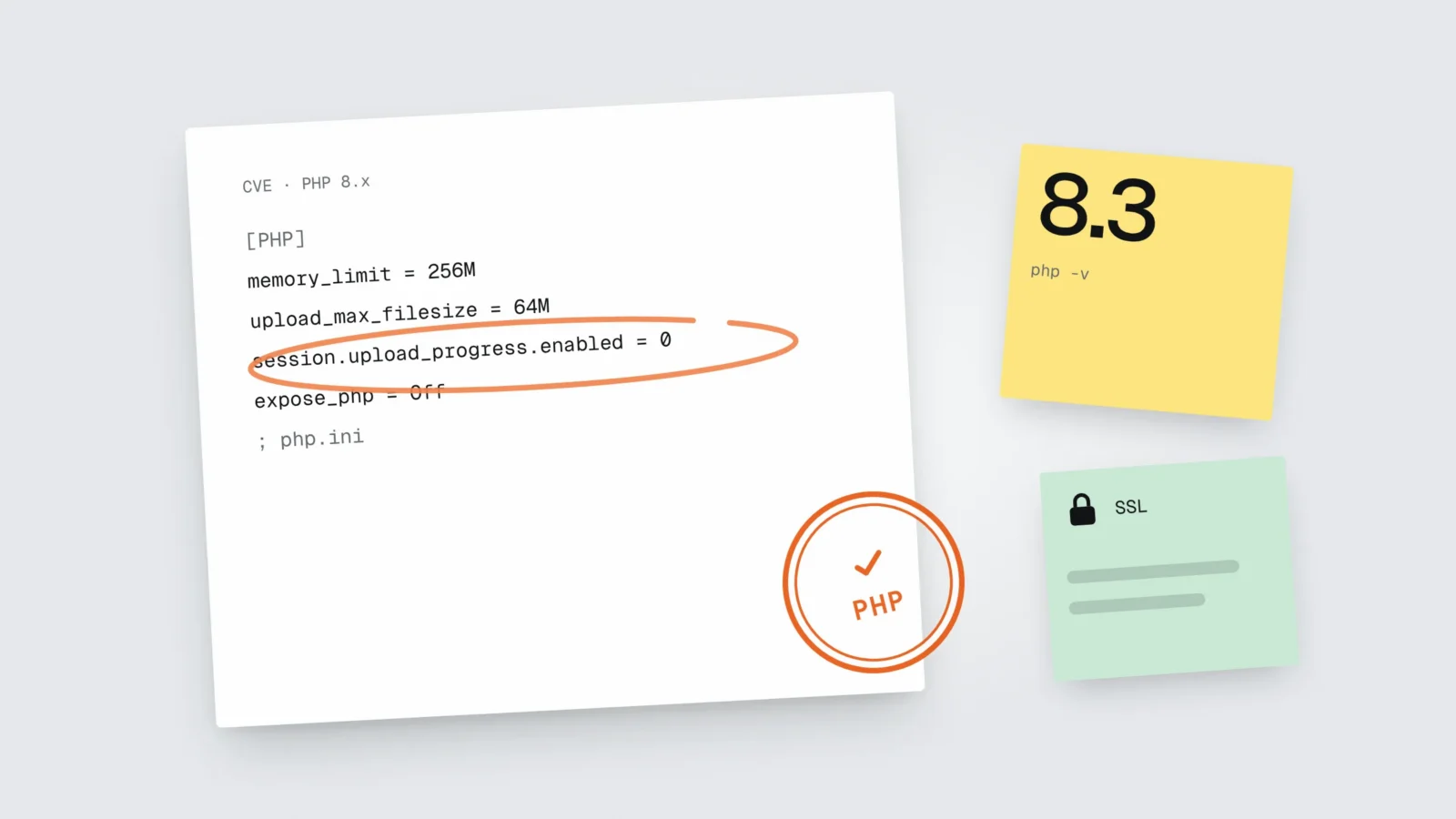
session.upload_progress.enabled = 0on the server even after updating. CloudLinux confirms that the patched PHP packages for cPanel (ea-php) and CloudLinux (alt-php) servers are available in the stable repositories. - 23.10.2026, 09:00
- Amazon’s threat intelligence team reports that its honeypot servers recorded the first exploitation attempt as early as 17 October, four days before the bugs were made public, and it now sees widespread attack attempts. So when you check whether a site has been hacked, review server logs from 17 October onwards. Hostinger confirms the fix is installed on all its servers except VPS.
- 22.10.2026, 18:00
- CERT.LV, the Latvian national cyber incident response team, urges Latvian companies to update PHP without delay and find out which version runs on their public websites, online shops and customer portals. For systems that cannot be updated, CERT.LV recommends restricting access from the internet, or at least from abroad, and access from abroad to some Latvian state digital services was temporarily restricted, possibly until 26 October. No compromised systems in Latvia have been reported so far.
- 22.10.2026, 09:00
- Hostinger officially announced that on shared and managed hosting the PHP fix is applied automatically and customers do not need to do anything. Firewall rules that immediately reject known attack requests are enabled on all servers. VPS customers have to update PHP themselves.
- 21.10.2026, 23:15
- First version of the article. The fix is available for all supported PHP versions (8.2-8.5). Cloudflare firewall rules also protect sites on the free plan. WordPress.org confirms that a WordPress update is not needed and is not being prepared.
What happened and why it is serious
On 20 October the PHP security team warned that it would release a fix for two critical bugs the next day. Attackers learned about the bug earlier: Amazon recorded the first exploitation attempt on 17 October, and on the morning of 21 October, before the fix was available, Cloudflare also saw attacks. The bug descriptions and an exploit tool are now public, so unpatched sites are being found and attacked automatically.
Both bugs are related to how PHP behaves when a request runs out of memory or hits a fatal error. PHP stops the request but does not always clean up its internal data properly. The next request can use these “leftovers”, and with a specially crafted request an attacker can run their own code or read server memory, which may contain passwords and access keys.
The key point for a website owner: the attack happens before WordPress even loads. It does not matter how strong your passwords, plugins or theme are. If the server runs unpatched PHP, the site is at risk.
Does it affect your site
Yes, if your website or online shop runs on WordPress, WooCommerce, Joomla, Drupal, Magento or another PHP system and the server does not yet have the 21 October fix. The bugs exist in every PHP version since 5.4, so very old sites are affected too.
No, if your site is on Wix, Wix Studio, Shopify or Squarespace. There you do not run your own PHP server, the platform maintains the servers. You do not need to do anything.
If you are not sure what your site is built on, look at the admin address: if you log in through /wp-admin or a similar address and see the WordPress dashboard, the site runs on PHP.
How to check your PHP version in 2 minutes
In the WordPress dashboard open Tools → Site Health → Info → Server. The “PHP version” row shows the number. The same is usually visible in your hosting control panel.
Compare it with the safe versions:
- PHP 8.5
- safe from 8.5.12
- PHP 8.4
- safe from 8.4.27
- PHP 8.3
- safe from 8.3.36
- PHP 8.2
- safe from 8.2.35. Support for this version ends on 31 December 2026, so it is worth planning the move to a newer one now.
- 8.1 and older
- The PHP project no longer updates these. A fix is possible only from your hosting provider or Linux distribution, otherwise you need to move to 8.2 or newer.
One caveat: many servers install PHP from Linux distribution packages, and then the fix is applied without changing the visible version number. If you see, for example, 8.3.35, it does not necessarily mean the site is unpatched. In that case ask your hosting provider directly: has the 21 October PHP security fix been installed on the server?
What to do depending on your hosting
Shared or managed hosting
This covers most small business websites: you have a hosting control panel, but you did not configure the server yourself. The hosting provider updates PHP for all customers at once. Many large providers announced temporary protection and the rollout of the fix as early as 21 October. If you have not received a notice by 22 October, write to support and ask for confirmation. If the panel lets you choose the PHP version and you are on 8.1 or older, now is the time to move to a supported version.
VPS or your own server
Here nobody will update it for you. Whoever maintains the server should install the updated PHP packages today and restart PHP so that the new version runs in every process. It is worth checking which source the server takes PHP packages from, because not every repository published the fix at the same time.
Site behind Cloudflare
Cloudflare’s firewall rules against these attacks work on all plans, including the free plan, where they are enabled automatically. On Pro, Business and Enterprise plans, check that the managed rules are set to “Block” and not just “Log”. This is extra protection, not a fix: PHP still has to be updated.
If PHP cannot be updated right away
The PHP security team has published temporary settings that close some attack paths but do not make the site safe. These are a job for the server administrator, not the site owner:
session.upload_progress.enabled = 0in the server’s php.ini or FPM pool configuration, then restart all PHP processes. Setting it in a .user.ini file or with ini_set() does not work here. WordPress does not use this feature, so it does not affect how the site works.- A low
post_max_size: 8M for sites without file uploads, 32M for sites with uploads. - On PHP 8.5 servers, also
fatal_error_backtraces = 0.
The PHP team recommends keeping session.upload_progress.enabled = 0 even after updating, until the next regular PHP release. On 23 October it announced one more, unlikely attack path (CVE-2026-115560) that will be fixed in that release.
If even that cannot be done quickly, the UK National Cyber Security Centre advises considering taking the system offline until it can be fixed. In Latvia, CERT.LV gives similar advice: if a system cannot be updated, restrict its access from the internet, or at least from abroad. For a company brochure site, a few hours offline costs less than a hacked server.
After the fix, it is worth making sure the site was not hacked before it: check that there are no unknown users in the administrator list, no PHP files in the wp-content/uploads folder, and no long runs of memory limit errors and 500 responses in the server logs. Review logs from 17 October onwards, because the first exploitation attempts were recorded then.
What this story teaches about AI and security
The bug had been in PHP code for more than ten years. Nobody exploited it because building a working attack was too complicated. Wiz researchers found it in August using the latest AI models, and they write that one researcher with AI did in a week what would previously have taken a whole team months.
This time the bug was found by defenders and reported to the PHP team. But the same tools are available to attackers too, and the time between a bug going public and mass attacks keeps getting shorter. The argument “our site is too small for anyone to care” no longer works: bots do not care who owns the server.
We use AI in development every day, so we see both sides clearly. AI speeds up the work, but a person is still responsible for whether PHP gets updated and whether anyone follows security advisories at all. If your site has no such person, this is a good moment to change that.
What to do today
- Find out whether your site runs on PHP (WordPress, WooCommerce, Joomla, Drupal).
- Check the PHP version: Tools → Site Health → Info → Server.
- Compare it with the safe versions: 8.5.12, 8.4.27, 8.3.36 or 8.2.35.
- If the version is older or you are not sure, ask your hosting provider to confirm the 21 October fix.
- If the PHP version is 8.1 or older, plan the move to 8.2 or newer, testing the site on a staging copy first.
- After the fix, check that there are no unknown users in the administrator list.
Frequently asked questions
What is PHP2Shell?
Two critical PHP vulnerabilities, CVE-2026-109618 and CVE-2026-109619, made public on 21 October 2026. They let an attacker run their own code on the server or read server memory without logging in. Both have a CVSS score of 9.2 out of 10.
Do I need to update WordPress?
No, this is not a WordPress bug. WordPress.org confirms that a WordPress update is not needed. PHP has to be updated on the server, and for most sites the hosting provider does that.
Which PHP versions have the fix?
PHP 8.5.12, 8.4.27, 8.3.36, 8.2.35 and later. If the server takes PHP from Linux distribution packages, the fix may also be included under an older version number, so if in doubt, ask your hosting provider. Until the next regular PHP release, the PHP team also recommends keeping session.upload_progress.enabled = 0 on the server.
Are Wix and Shopify sites at risk?
No. Wix, Wix Studio and Shopify sites do not run on your own PHP, and the platform maintains the servers. You do not need to do anything.
Is Cloudflare or another firewall enough?
No. Cloudflare rules block the known attack patterns, but attackers try to get around them, and sometimes the server can be reached directly. A firewall is extra protection, PHP still has to be updated.
How can I tell if my site has already been hacked?
Check the administrator list, the wp-content/uploads folder (it must not contain PHP files) and recently changed files. In the server logs from 17 October onwards, look out for many 500 errors and memory limit errors in a row. If anything looks suspicious, have a specialist check the site before you keep using it.
Not sure who maintains your site?
Send us your site address, and we will tell you free of charge which PHP version it runs and what needs to be done. If you want someone to keep track of updates and security on an ongoing basis, see website maintenance and security from €60 per month. To get in touch, fill in the form or call +371 25 640 062.
Sources
- PHP security announcement, 21.10.2026
- WordPress.org: Critical PHP Security Release
- Wiz Research: PHP2Shell
- Cloudflare: protections against php2shell
- NCSC (UK): Critical security issue affecting PHP
- Hostinger: protections against php2shell
- CERT.LV: Critical vulnerabilities in PHP software (in Latvian)
- CERT.LV: Latvia introduces preventive measures (in Latvian)
- Amazon Threat Intelligence: PHP2Shell exploitation prior to public disclosure
- PHP informational advisory on session upload progress, 23.10.2026
- CloudLinux: PHP package status and Imunify360 protection