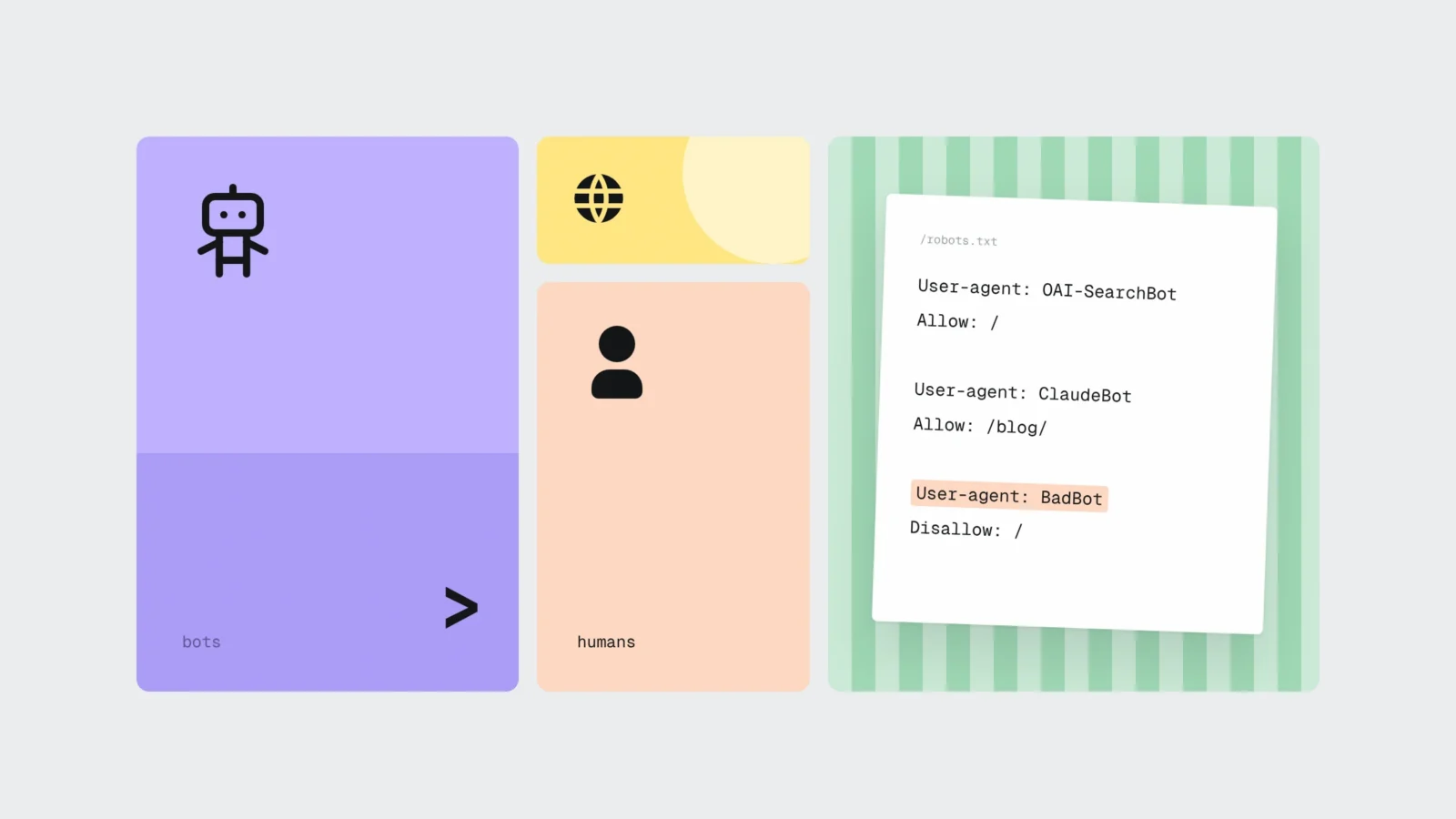
More than half of the requests that reach websites in 2026 come from bots. On 3 June, Cloudflare CEO Matthew Prince cited Cloudflare Radar data showing a split of 57.5% automated to 42.5% human, and Cloudflare’s September report confirms it: this year, for the first time, most Internet traffic is not human. For a website owner, bots fall into three groups. Allow search engines and AI search bots (Googlebot, Bingbot, OAI-SearchBot, Claude-SearchBot, PerplexityBot) if you want to appear in Google, ChatGPT, Claude and Perplexity answers. Weigh up model training bots (GPTBot, ClaudeBot, Google-Extended, CCBot): blocking them does not remove your site from search results. Block or rate-limit scrapers and aggressive tools that overload the server with Cloudflare or a security plugin, because to them robots.txt is only a request.
Who is visiting your website
The large AI companies now run several crawlers each, one per purpose, and each has its own user-agent name that you can address in robots.txt. OpenAI, Anthropic and Perplexity all state in their documentation that each setting works independently: blocking one bot leaves the others running. In practice they fall into four groups.
- Classic search engines. Googlebot builds the Google Search index, including Discover and all Search features. Bingbot does the same for Bing.
- AI search bots. OAI-SearchBot (ChatGPT search), Claude-SearchBot (Claude) and PerplexityBot (Perplexity) index pages so they can be shown and linked in answers. OpenAI and Perplexity recommend allowing them if you want to appear in their search results. Perplexity states that PerplexityBot data is not used to train models.
- User-triggered bots. ChatGPT-User, Claude-User and Perplexity-User open a page when a person asks the assistant a question or pastes a link. They do not crawl the web on their own. OpenAI and Perplexity say openly that robots.txt rules may not apply to these bots, because a person started the request.
- Model training bots. GPTBot (OpenAI), ClaudeBot (Anthropic) and CCBot (the Common Crawl public archive, widely used to train language models) collect content that may be used to train future models. Google-Extended is not a separate crawler: it is a robots.txt token that tells Google whether content collected by Googlebot may be used to train Gemini models and to ground answers in the Gemini app.
Everything else sits outside these groups: SEO tool crawlers, price comparison bots, content copiers, vulnerability scanners and bots that fill in forms. Some of them identify themselves honestly, others pretend to be an ordinary Chrome browser.
Allow: search engines and AI search bots
If your site is supposed to bring in customers, Googlebot, Bingbot, OAI-SearchBot, Claude-SearchBot and PerplexityBot must be allowed. A blocked OAI-SearchBot means your pages will not appear as sources in ChatGPT search answers, at best only as navigational links. Anthropic says much the same about Claude-SearchBot: blocking it can reduce your visibility and accuracy in Claude’s answers. For a service business there is little point in blocking user-triggered bots either: if a person gives the assistant your link, you want the assistant to be able to read it.
Google’s AI Overviews and AI Mode rely on the same index that Googlebot builds. Google’s AI optimisation guide sets one condition: a page must be eligible to be shown in Search with a snippet. A page closed to Googlebot therefore cannot appear in Google’s AI answers either. We wrote more about how AI assistants decide which business to recommend in why ChatGPT recommends your competitor.
These bots are most often blocked by accident. Typical causes are a robots.txt line “Disallow: /” under “User-agent: *” left over from development, a security plugin that blocks every unknown bot, or a hosting firewall that treats data centre IP addresses as attackers. The site looks fine, while ChatGPT and Perplexity cannot see it.
Weigh up: model training bots
Training bots do not bring customers directly. They take content, and in future the model will know more about your industry. In Cloudflare’s August 2025 measurements, Anthropic’s crawlers loaded about 50,000 HTML pages for every visitor they referred back, OpenAI’s 887 and Perplexity’s 118. Google was not in that comparison, because its crawler also serves Search, which sends most of the visitors.
The decision depends on what is valuable on your site. For a service company, a guesthouse or a construction firm, descriptions, prices and contacts are no secret, and a model that knows your name and town is more likely to help than hurt. On dizainsweb.lv we allow both search and training bots, because we want our articles to end up in answers. A publisher, a course author or a business with paid content is in a different position: their text is the product, and training bots are usually blocked.
It helps to know what each block does:
- Blocking GPTBot does not affect OAI-SearchBot. OpenAI notes that if both are allowed, results from one crawl may be used for both purposes.
- Blocking Google-Extended does not remove a site from Google Search and is not a ranking signal. Google’s documentation says this explicitly.
- ClaudeBot and CCBot support the Crawl-delay line, which makes the bot wait the given number of seconds between requests. Googlebot ignores it.
- In Cloudflare’s data, 36.6% of verified crawler traffic comes from mixed-use crawlers that build a search index and collect training data at the same time. Blocking them costs you search as well.
Block or limit: scrapers and aggressive tools
The third group is the one that does real harm. Content copiers republish your texts and prices, crawlers from SEO tools you do not use read thousands of URLs every week, and vulnerability scanners look for wp-login.php, xmlrpc.php and old plugin files. We covered plugin risks in more detail in WordPress plugin supply chain attacks.
The honest ones (AhrefsBot, SemrushBot and similar) follow robots.txt and can be shut out with two lines. Robots.txt does not stop the rest. That takes a server-level tool: Cloudflare bot protection, a hosting firewall or a WordPress security plugin with rate limiting. Since July 2026 Cloudflare lets you manage search, agent and training bots separately, including on the free plan. For new sites from 15 September, training and agent bots are blocked by default on pages with ads, while search is allowed. If your site is already behind Cloudflare, open the settings and check what is switched on, because the default may not match your decision.
Why robots.txt does not protect your site
Robots.txt is a convention from 1994 that was written up as the RFC 9309 standard in 2022. The standard itself says these rules “are not a form of access authorization”. An honest bot reads the file and follows it. A malicious one ignores it, or even uses it as a list of URLs you would rather keep quiet. So robots.txt should never be what hides an admin panel, customer files or a staging site. Those are protected by passwords and server settings.
Large companies do not always play by the rules either. In August 2025 Cloudflare published a test: Perplexity’s declared bots were blocked on the test sites, yet Perplexity still answered with their content, using an undeclared crawler that posed as Chrome on a Mac and rotated IP addresses. Cloudflare then removed Perplexity from its verified bots list.
One technical detail causes many mistakes. If a bot has its own group in robots.txt, it no longer reads the general “User-agent: *” group. If you put only Crawl-delay in the ClaudeBot group, ClaudeBot may visit URLs you disallowed in the general group. The rules have to be repeated in every group:
User-agent: *
Disallow: /wp-admin/
Allow: /wp-admin/admin-ajax.php
Disallow: /*?date=
Disallow: /?s=

User-agent: AhrefsBot
User-agent: SemrushBot
Disallow: /

User-agent: ClaudeBot
User-agent: CCBot
Crawl-delay: 5
Disallow: /wp-admin/
Disallow: /*?date=
Disallow: /?s=

Sitemap: https://example.com/sitemap.xml
Changes are not instant. OpenAI and Perplexity say their systems pick up new rules within about 24 hours, and Google generally caches robots.txt for up to 24 hours.
What about llms.txt
llms.txt is a file format proposed in 2024 in which a site gives language models a short summary of its content. It is not an official standard. Google’s AI optimisation guide (updated 10 July 2026) says Google Search does not use such files and that they neither help nor hurt visibility. Other services may read them, so the file does no harm, but it does not replace decisions about what to allow or block. The only things bots are bound by are robots.txt and your server settings.
What bots do to server speed, analytics and forms
Cheap hosting plans have limits on CPU and concurrent processes. A WordPress site without caching builds every page from scratch, and when guests and three crawlers reading calendar or filter URLs arrive at the same time in the evening, the server slows down or returns a 503 error. People see a slow site, Googlebot sees a slow server and crawls less.
In analytics, bots cause two kinds of errors. Hosting statistics (AWStats, Webalizer, cPanel reports) count server log entries, and many bots that do not identify themselves are counted along with people. Google Analytics 4 excludes known bots automatically using Google research and the IAB bots list, and you can neither switch this filter off nor see how much was excluded. GA4 also counts only visitors who run JavaScript and accept cookies. A gap of 5-10 times between hosting statistics and GA4 is therefore normal. On the other hand, bots that drive a real browser can still land in GA4 as odd zero-second visits from a single country. How to measure the effect of AI search on clicks will be the subject of a separate article.
Forms are the third weak spot. A bot that fills in your contact form floods the inbox with spam and can damage your domain’s email reputation if the form sends a confirmation to the address entered. If the form accepts files, the bot may try to upload malicious code. A hidden honeypot field, Cloudflare Turnstile or reCAPTCHA and a per-IP request limit help against this.
Example: a guesthouse in Daugavpils
Suppose a guesthouse in Daugavpils has a WordPress site in Latvian, English and Russian with a booking calendar. The hosting panel shows 38,000 visits a month, while GA4 shows about 4,100. The owner complains that in the evenings the site takes 4-6 seconds to open, and a couple of times a month the booking form returns an error. Around 40 spam messages a week arrive through the contact form.
A 30-day server log shows what is going on. Of 1.6 million requests, 74% come from bots. Most of them are tools reading calendar URLs with a ?date= parameter for every day three years ahead, in every language. There are tens of thousands of such URLs, and each one makes the server calculate availability. Next come two SEO tool crawlers the guesthouse does not use. Then come training bots, and about 9% are requests from data centre IP addresses calling themselves Chrome, arriving at 20-30 per second between 19:00 and 23:00. Exactly in those hours the hosting plan hits its CPU limit 11 times a month.
What was done:
- robots.txt closed the calendar parameter URLs for all groups and shut out both SEO tool crawlers completely;
- Googlebot, Bingbot, OAI-SearchBot, Claude-SearchBot, PerplexityBot and the user-triggered bots stayed allowed, because guests also search through ChatGPT and Google’s AI answers;
- training bots stayed allowed, since room descriptions and prices are no secret, but ClaudeBot and CCBot got a 5-second Crawl-delay;
- the site was put behind Cloudflare’s free plan with bot protection on and a limit of 30 requests per minute per IP for calendar URLs;
- Turnstile and a hidden field were added to the contact and booking forms, and caching was switched on for calendar pages.
After 30 days there are 62% fewer bot requests, and the evening server response time (TTFB) fell from 2.8 s to 0.6 s. The CPU limit was not hit once, and the booking form no longer returns errors. Hosting statistics show about 9,800 visits and GA4 about 4,200, so the number of people stayed the same and most of the earlier 38,000 were bots. Spam dropped to 1-2 messages a week. A month later, Search Console shows Googlebot fetching pages faster, with the number of indexed pages unchanged.
A 6-step check
- Open robots.txt. Type yoursite.com/robots.txt into the browser. Look for “Disallow: /” under “User-agent: *” or under Googlebot, Bingbot, OAI-SearchBot, Claude-SearchBot and PerplexityBot. Check that every bot group repeats the rules it needs.
- Compare hosting statistics with GA4. If hosting shows 5 times more visits than GA4, that is bot traffic. If it is 20 times more, the server log is worth a look.
- Read the server log. Download the access log for the last week from the hosting panel and sort it by user-agent and IP. Look for URLs with parameters repeated thousands of times and IP addresses sending dozens of requests per second.
- Check bot management. If your site is behind Cloudflare, make sure search is allowed in the AI crawler settings. If you use Wordfence, Solid Security or a similar plugin, check the rate limits and that it does not block known search bots.
- Check that a bot is genuine. Google, OpenAI, Anthropic and Perplexity publish IP address lists for their bots. A “Googlebot” coming from an address not on Google’s list is fake and can be blocked safely.
- Protect your forms. Add a hidden field and Turnstile or reCAPTCHA, limit requests per IP and count the spam messages after a week.
What to do this week
- Open your robots.txt and check that search bots are not blocked.
- Decide whether you allow GPTBot, ClaudeBot, Google-Extended and CCBot.
- Repeat the general rules in every bot group.
- Compare hosting statistics with GA4 for the last month.
- Close calendar, filter and search parameter URLs.
- Check the bot settings in Cloudflare or your security plugin.
- Add a hidden field and Turnstile or reCAPTCHA to your forms.
Frequently asked questions
Should I block GPTBot on my website?
It depends on your content. GPTBot collects data for training OpenAI models, and blocking it does not affect OAI-SearchBot, which shows pages in ChatGPT search. A service business can usually allow GPTBot. Publishers and paid content creators often block it.
Will blocking Google-Extended remove my site from Google?
No. Google’s documentation states that Google-Extended does not affect inclusion in Google Search and is not a ranking signal. It only controls whether content may be used to train Gemini models and to ground answers in the Gemini app and Vertex AI.
Does robots.txt protect my site from content scrapers?
No. Robots.txt is a request that honest bots follow. The RFC 9309 standard itself says it is not access control. Scrapers and aggressive tools need Cloudflare bot protection, a hosting firewall or a security plugin with rate limiting.
Why do hosting statistics show far more visits than GA4?
Hosting statistics count server log entries, which include many bots. GA4 excludes known bots automatically and counts only visitors who run JavaScript and accept cookies. A 5-10 times difference is normal, a larger one points to a bot problem.
Does my website need an llms.txt file?
It is not required. llms.txt is not an official standard, and Google says Google Search does not use such files. The file does no harm and may be useful to other services, but whether bots are allowed or blocked is decided by robots.txt and server settings.
How can I tell whether Googlebot or GPTBot is genuine?
Compare the request’s IP address with the list the company publishes. Google, OpenAI, Anthropic and Perplexity publish their bots’ IP addresses, and Cloudflare recognises verified bots automatically. A bot calling itself Googlebot from another address is fake.
A site that lets search engines in and keeps scrapers out
As part of maintenance we review robots.txt after every major change, read the server log once a month and check that search bots have not been blocked by accident. If bots are overloading the server, we set up rate limits and form protection. Website maintenance starts at €60 + VAT a month, hosting at €144 + VAT a year. If you want your site to appear in Google and AI assistant answers, start with SEO services. Send us your site address through the form or call +371 25 640 062, and we will tell you which AI bots your robots.txt currently blocks and how many of the visits in your hosting statistics are people.
Sources
- Cloudflare: The Internet has a second audience (30.09.2026)
- Tech Times: Cloudflare Radar data on 57.5% bot requests (05.06.2026)
- Cloudflare: Cloudflare Helps End the Search-or-AI-Training Tradeoff (15.09.2026)
- Cloudflare Changelog: New options to manage AI traffic (01.07.2026)
- Cloudflare: A deeper look at AI crawlers (28.08.2025)
- Cloudflare: Perplexity is using stealth, undeclared crawlers (04.08.2025)
- OpenAI: Overview of OpenAI Crawlers
- Anthropic Help Center: bots and crawlers
- Perplexity: Perplexity Crawlers
- Google: List of Google’s common crawlers
- Google: How Google interprets the robots.txt specification
- Google Search Central: Optimizing for generative AI features (10.07.2026)
- Google Analytics: Known bot-traffic exclusion
- Common Crawl: FAQ
- IETF RFC 9309: Robots Exclusion Protocol (2022)