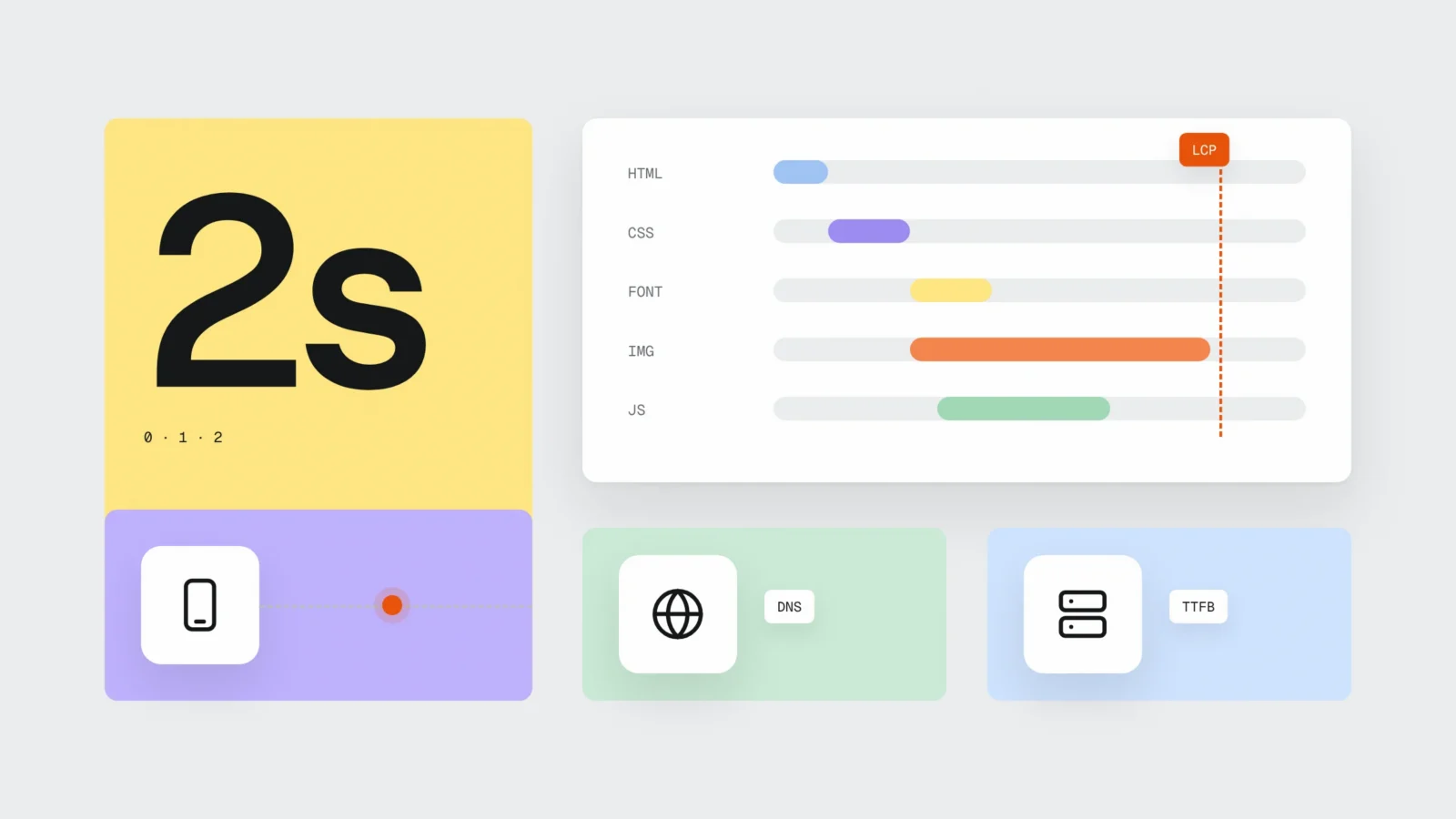
When a customer taps a link to your website, the phone first finds out which server hosts the site, opens a secure connection and only then asks for the page itself. The server either builds the page or takes a ready copy from its cache and sends it back. The moment the first byte arrives is called TTFB, and Google’s developer guide web.dev treats 0.8 seconds or less as good. After that the browser downloads styles, fonts, images and scripts until the main content appears (LCP), which should happen within 2.5 seconds. In July 2025 the median mobile home page weighed 2,362 KB, almost three times more than in 2015. On a small business website the time is usually lost in three places: a server without page caching, oversized images and third-party scripts.
The road to the first byte
Before the server starts working, three conversations take place. The phone asks a DNS server which IP address the domain belongs to. Then it opens a connection to your server and agrees on encryption (TLS) so the data cannot be read on the way. Only after that does the actual request for the home page go out.
Each of these steps is a round trip, so the location of the server and unnecessary redirects add waiting time before the page even starts loading. The web.dev definition of TTFB includes redirects, the DNS lookup and connection setup, not only the time the server spends working.
Harry Roberts, a British web performance consultant, puts it this way in his article on TTFB: a good TTFB does not guarantee a fast site, but “a bad TTFB almost certainly guarantees a slow one”. If the first byte arrives after 1.5 seconds, everything else can be perfectly compressed and the page still feels slow.
What the server does: WordPress with and without a cache
A WordPress page does not sit on the server as a ready file. Every time someone opens it, PHP starts WordPress, loads the theme and plugins, asks the database for content, menus and settings, and only then assembles the HTML. On a site with dozens of plugins and a cheap shared server this can take a second or more.
A page cache does this work once: it stores the finished HTML and sends it straight to the next visitors. The WordPress.org Advanced Administration Handbook calls caching the fastest way to improve WordPress performance, because visitors get ready static files and the server does not have to build the page every time.
A cache has two limits. Pages that are different for every visitor (cart, checkout, “my account”) must not be cached, the server builds them fresh each time. And after you change content, the cache has to be cleared, otherwise customers see the old price. A good caching plugin (for example LiteSpeed Cache on a LiteSpeed server) does this automatically when you save a page, but the settings should be checked after every bigger change.
Bots load the server too: some of them open hundreds of pages an hour, and without a cache every visit goes through PHP and the database. We covered which bots to let in and which to block in Half of web traffic is bots. If your customers are in Latvia, a server in Europe is a better choice than one across the Atlantic: each of the three steps in the animation is then shorter.
After the first byte: what the browser downloads and in what order
HTML is a list of everything else the page needs. The browser finds the style files and usually shows nothing until they load, otherwise the page would briefly appear unstyled. Then come fonts and images, and the largest image in the first screen is often the element LCP measures. Scripts (chat, analytics, ad tags) use the same network and the same phone processor at the same time.
Pages keep getting heavier. HTTP Archive’s Web Almanac 2025 shows that the median mobile home page weighed 845 KB in July 2015 and 2,362 KB in July 2025. Images and video still make up most of those bytes.
The animation shows a typical case: the hero image starts loading early, but it weighs 1.8 MB, so LCP happens only after 2.1 seconds. Saved as WebP at 1600 px wide (around 180 KB), the same image arrives much sooner on a phone with mobile data. How quickly the page responds to a tap after it has loaded is a different metric, INP, which we explained in Your site loads fast but feels slow.
Where a small business website loses time
When we check company websites, we keep finding the same causes:
- A server without page caching, or a cheap shared server where your site shares the processor with hundreds of others.
- A redirect chain: http to https, then to www, then back to the address without www. Each step is another round trip.
- A 3-5 MB JPG hero image straight from the camera or a stock photo site.
- A slider with five large images, of which the customer sees one.
- Fonts with six weights and three families when the page uses two.
- Third-party scripts on every page: chat, maps, social media widgets, several analytics tags.
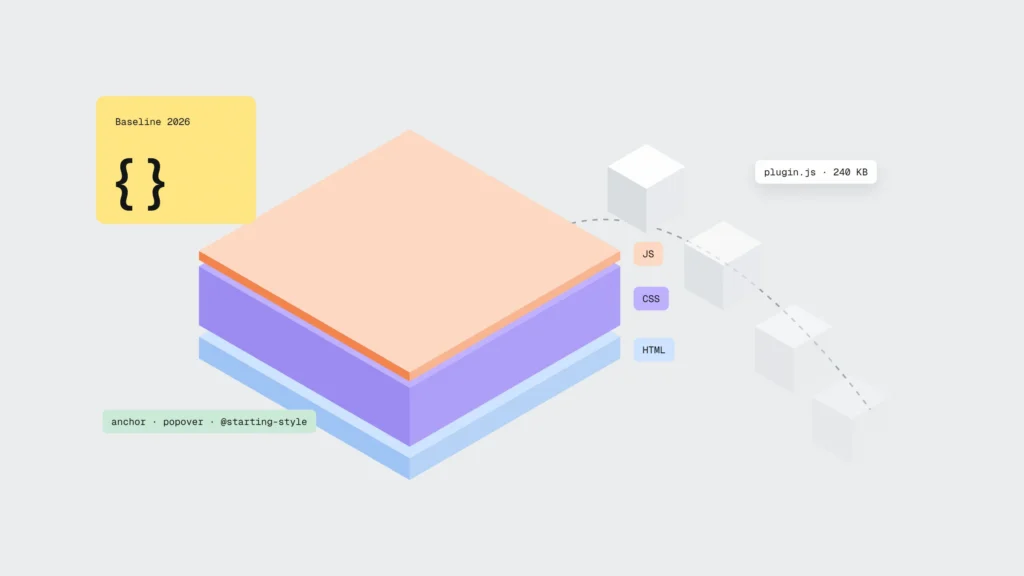
- Plugins that load their files on all pages, including those where they are not used. Some of them can be replaced with what the browser now does natively, see Fewer plugins, more browser.

Example: a timber merchant in Smiltene
Suppose a company has a WordPress site with 22 plugins on a cheap server in the United States, a home page slider with four 2.5 MB images and a live chat. PageSpeed Insights real-user data on phones shows TTFB of 1.9 s and LCP of 4.8 s, and the Search Console Core Web Vitals report puts every mobile page under “Poor”.
There were four jobs. The site moved to a server in Europe with LiteSpeed and page caching. Redirects were cut down to one. The slider was replaced with one WebP image (210 KB). The chat loads only after a tap on its button. Along the way the number of plugins went down from 22 to 14.
After 28 days the field data shows TTFB of 0.35 s and LCP of 2.1 s, and monthly enquiries from the contact form rose from 22 to 29. Part of that growth may be seasonal, so the same month last year is a useful comparison. We described how to compare before and after in How to tell whether a redesign will pay off.
How to check your site in 15 minutes
- Open PageSpeed Insights, enter your home page address and look at the real-user data section, not only the lab score. Write down TTFB and LCP on mobile.
- In Search Console open the Core Web Vitals report: it shows which groups of pages are poor.
- In Chrome open DevTools, the Network tab, tick “Disable cache” and reload the page. The first row is the HTML: if waiting for the server response takes more than 0.8 s, start with the server and the cache.
- Type your address with http:// and www and count how many redirects happen before the page opens. One at most is good.
- In the Network tab sort files by size. Any image above 300 KB in the first screen is the first candidate for compression.
- Find domains in the list that are not yours: chat, maps, tags. Decide for each whether it is needed on every page.
- Repeat the check after 28 days, because the field data in PageSpeed Insights and Search Console covers exactly that period.
What to do this week
- TTFB on mobile within 0.8 s (PageSpeed Insights real-user data)
- LCP on mobile within 2.5 s
- Page cache switched on, cart and checkout excluded from it
- No more than one redirect from the http and www addresses
- Hero image in WebP or AVIF, under 300 KB
- Only the font weights the site actually uses
- Chat and maps load only when needed
- Check repeated after 28 days
Frequently asked questions
What is hosting and how is it different from a domain?
A domain is the address (for example company.lv) that you register with a registrar. Hosting is the server that stores the site files and the database. DNS records connect the two, and they can be with one provider or with different ones.
Can cheap hosting really make a website slower?
Yes. On a shared server many sites share the resources, and without a page cache every visit loads the processor and the database. You see it best in the mobile TTFB in PageSpeed Insights real-user data, not in a single test from the office computer.
Does a cache show customers outdated information?
A cache is a stored ready copy of the page, so it has to be cleared after an edit. Good caching plugins do it automatically when you save a page. The cart, checkout and user account are never cached.
Does a business in Latvia need a CDN?
If your customers are in Latvia and the server is in Europe, a CDN is usually not the first step. It helps when you have many visitors from other countries, many large files or need extra protection against attacks.
What is the difference between TTFB, LCP and INP?
TTFB shows how fast the server responds, LCP shows when the main content is visible, and INP shows how quickly the page reacts to a tap or click. Google’s Core Web Vitals are LCP, INP and CLS; TTFB is a supporting metric that directly affects LCP.
How often should I check website speed?
After every big change (new theme, plugin, chat, slider) and once a quarter. For the sites we maintain, we review speed together with updates.
If your site takes longer than 2.5 seconds to load on a phone
In the maintenance plan we check the server, cache, images and scripts, update plugins and follow the field data in Search Console. Hosting starts at 144 € + VAT a year, maintenance at 60 € + VAT a month. See the website maintenance plan or write to us which page loads slowly and we will measure it. Phone: +371 25 640 062.
Sources
- web.dev: Time to First Byte (TTFB)
- web.dev: Optimize Time to First Byte
- web.dev: Largest Contentful Paint (LCP)
- HTTP Archive Web Almanac 2025: Page Weight
- Harry Roberts, CSS Wizardry: Time to First Byte: What It Is and Why It Matters
- WordPress.org Advanced Administration Handbook: Cache
- Chrome for Developers: Inspect network activity
- Google Search Console Help: Core Web Vitals report