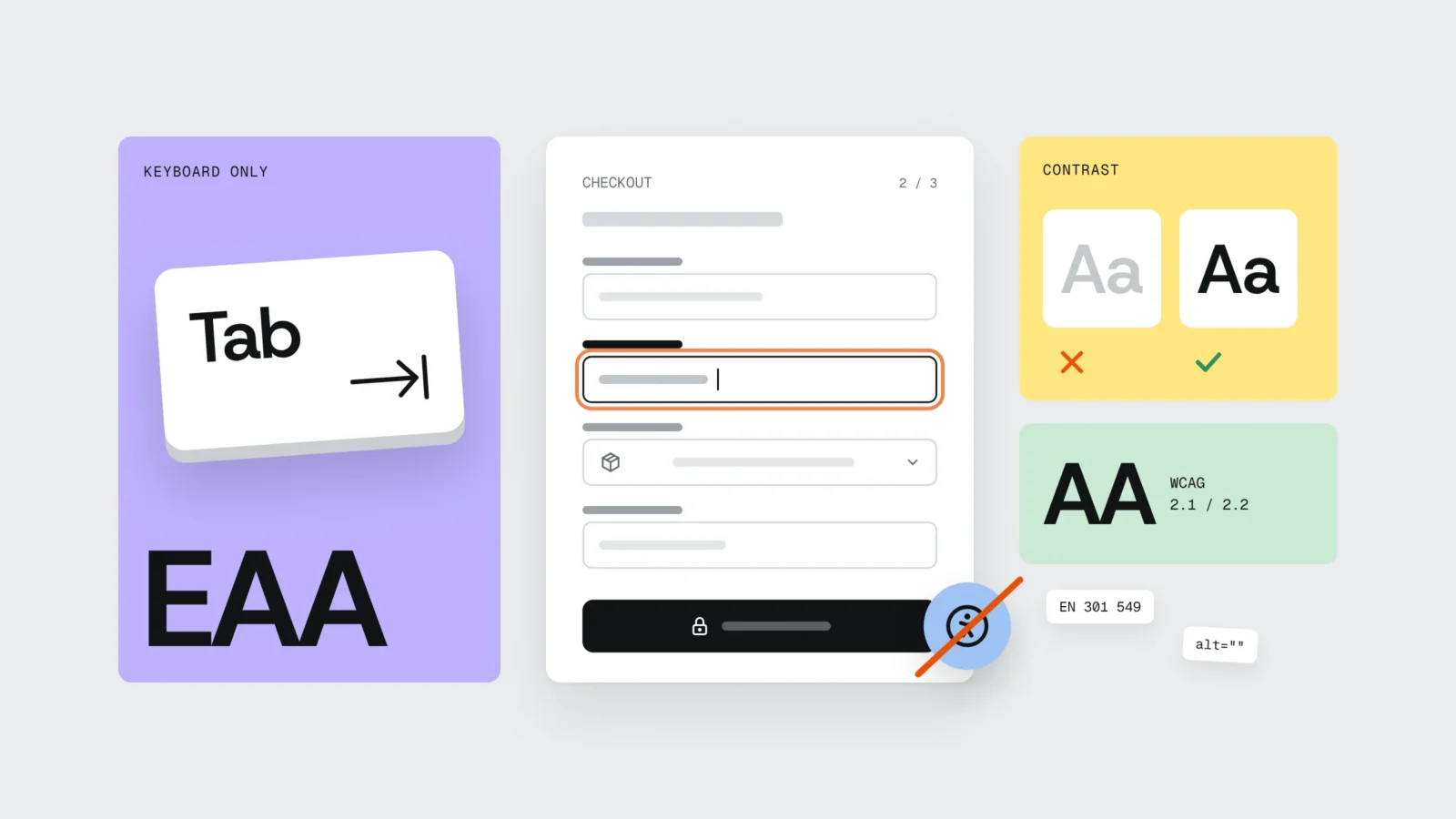
The European Accessibility Act (Directive (EU) 2019/882) was transposed in Latvia by the Law on the Accessibility of Goods and Services (Preču un pakalpojumu piekļūstamības likums), which took effect on 28 June 2025. It applies to private businesses that serve consumers online: online stores, banking, credit and payment services, e-books, passenger transport ticketing and electronic communications. Microenterprises with fewer than 10 employees and an annual turnover or balance sheet of up to EUR 2 million are exempt from the service requirements. Online stores are supervised by the Consumer Rights Protection Centre (PTAC), and the technical benchmark is EN 301 549, which for websites relies on WCAG 2.1 AA. Below you will find a quick self-check to see whether the law covers your business and a 20-minute keyboard test. We are not lawyers: this article is based on the text of the law as of 2 November 2026, so please confirm your own situation with a lawyer or PTAC.
What the European Accessibility Act is and how Latvia implemented it
The European Accessibility Act (EAA) is an EU directive that sets the same accessibility requirements for certain products and services across all member states. The directive itself does not oblige businesses to do anything. Each country’s national law does that, and in Latvia it is the Law on the Accessibility of Goods and Services. The Saeima adopted it on 16 March 2023 and it took effect on 28 June 2025. The technical requirements are detailed in the Cabinet of Ministers regulation “Accessibility requirements for goods and services”.
Accessibility here means whether a site can be used by someone who cannot see the screen, does not use a mouse, has limited hearing or enlarges the text.
Supervision is split by sector. PTAC covers e-commerce, consumer financial services, e-books and passenger transport by water. Electronic communications fall under the Public Utilities Commission (SPRK), air transport under the Civil Aviation Agency, buses and domestic rail under the Road Transport Administration.
The myth: the law only applies to public bodies
It is the other way round. Websites of state and municipal bodies have had accessibility rules for several years. Today they are set by Cabinet Regulation No. 445 (2020), which comes from a different EU directive (2016/2102). The Law on the Accessibility of Goods and Services does not cover public bodies at all. It is about businesses that sell to or serve consumers.
Many people still do not know this. In a 2026 PTAC survey only 19% of residents said they understand well what digital accessibility means, while 86% believe online stores should be accessible. In autumn 2026 PTAC and the disability organisation “Apeirons” launched an awareness campaign called “The Invisible Barrier Strip”. According to PTAC, the authority starts with education and cooperation, with inspections to follow later.
Who the law covers and who it does not: a self-check
Answer five questions about your business and your website.
- Can a consumer complete a transaction on your site? Buy a product, pay for a service, book and pay. If the site only describes your company and has a contact form, the e-commerce requirements usually do not apply.
- Do you sell to private individuals? If the store works only with businesses (B2B) and consumers cannot shop there, the law does not apply to it.
- Are you a microenterprise? Fewer than 10 employees and an annual turnover or balance sheet total of up to EUR 2,000,000. If both conditions are met, you are exempt from the service accessibility requirements (Article 3(6) of the law).
- Is your sector named in the law? E-commerce, banking, credit, payments and investments, e-books, passenger transport tickets and travel information, electronic communications, access to audiovisual media. A hairdresser with an unpaid booking system or a builder with a quote request form is most likely not on this list.
- Do you update the site? The requirements do not apply to website content that has not been updated since 27 June 2025. An online store where prices change and new products appear is updated every week, so this exception does not help it.
If you answered “yes” to the first two questions, “no” to the third and “yes” to the fourth, the law already applies to you. In borderline cases, for example if the company is part of a group or headcount hovers around 10, ask a lawyer.
The transition period to 2030 does not cover an online store’s website
You often hear that “existing services have until 2030”. The transitional provisions are narrower. Service contracts concluded before 27 June 2025, such as a long-term contract with a bank customer, may continue until 27 June 2030. Until the same date, products already lawfully used to provide a service may keep being used, and self-service terminals get an even longer period.
In an online store every purchase is a new contract, and the site changes constantly. For a store that is not a microenterprise, the requirements have applied since 28 June 2025.
Why an accessibility widget does not solve the problem
An accessibility widget (an overlay) is a script that adds an icon with settings in the corner of the page: larger text, contrast, different fonts. It costs a few dozen euros a month and promises legal compliance with a single line of code.
In Germany, where a similar law (BFSG) took effect on the same day, the BIK testing centres state in their methodology that they cannot reliably say whether a site using such a tool conforms to EN and WCAG. BIK does not publish test results for these sites, and the BIK test seal may not be used on them. In April 2025 the US Federal Trade Commission ordered one overlay vendor to pay USD 1 million over claims that its tool makes websites WCAG compliant.
The reason is technical. People with visual impairments already use their own tools: a screen reader, a magnifier, the text size setting on their phone. A widget changes how the page looks, but the same errors stay in the code:
- a “Phone” field without a label still has no name for a screen reader;
- a parcel locker picker built from
divelements still will not open with the keyboard; - a payment window loaded from a bank or payment provider is out of the widget’s reach;
- quantity buttons “+” and “−” are icons only, and a screen reader announces them as “button”.
Our view: a widget can be a small extra on a site that is already in order, but it proves nothing about compliance. If the site has a widget and a broken checkout, it will not change the outcome of a complaint to PTAC.
Example: a ceramics online store in Kuldīga
A typical situation. A ceramics workshop in Kuldīga sells mugs and plates through its WooCommerce store. It has seven employees and an annual turnover of around EUR 400,000. After reading the news about the new law, the owners installed an accessibility widget for EUR 39 a month and considered the matter closed.
The first surprise: under the law this store is a microenterprise (fewer than 10 employees, turnover far below EUR 2 million), so the service accessibility requirements do not currently apply to it. The widget was bought to solve a legal problem that did not exist.
The second surprise mattered more. When the purchase was walked through with the keyboard only, it stalled in places where an ordinary customer shopping on a phone or with larger text would stall too:
- the parcel locker selection at checkout was a custom list that could not be opened with the Tab key;
- checkout field names existed only as grey placeholder text that vanished as soon as you started typing;
- the “invalid phone number” error appeared only as a red border with no text;
- registration used an image puzzle (CAPTCHA) with no alternative;
- the sale price was light grey on white, with a contrast ratio of 2.8:1;
- a glazing video narrated by the potter had no subtitles.
Fixing this in the theme code took about 14 hours: a real select menu for parcel lockers, visible labels, error text next to the field, an invisible CAPTCHA, a darker price colour and subtitles. They switched the widget off. If the workshop grows to ten people, the requirements will apply directly, and the groundwork will already be done.
A 20-minute keyboard test
All you need is a computer, a browser and one product you can “buy” up to the payment step. Put the mouse aside.
- Tab from the top (2 min). Open the home page and press Tab. Can you always see which element is active? Can the cookie banner be closed with the keyboard? Does the sticky header hide the focus?
- A purchase without a mouse (8 min). Choose a product, a variant and a quantity, add it to the cart, go to checkout, fill in the fields, pick a parcel locker and get to payment. Write down every place you get stuck. Those are your most important errors.
- Form fields (3 min). Click a field’s label: the cursor should jump into the field. The label must stay visible after you type. Enter a wrong email: the message must say in words what to fix.
- Contrast (2 min). With a free tool such as WebAIM Contrast Checker, check grey text, prices and buttons. Normal text needs at least 4.5:1, large headings 3:1.
- Alt text (2 min). Product images need a description (“Blue mug with handle, 350 ml”) instead of a file name like “IMG_4512”. Leave alt empty for decorative images.
- 200% zoom (1 min). Press Ctrl and “+” up to 200%. Text must not overlap and buttons must stay visible.
- CAPTCHA and video (2 min). Does the image puzzle have an alternative? Do videos with speech have subtitles?
If you could not finish the purchase in step two, the rest matters less: start with the checkout. PTAC’s campaign site neredzamaskerslujosla.lv also has a self-check list of the 12 most common errors (in Latvian). Automated tools such as Lighthouse catch only some errors, so the keyboard test is a must.
Which WCAG version to choose
The law requires the service to meet accessibility requirements and allows this to be shown through EU harmonised standards. For websites that is EN 301 549, whose version V3.2.1 requires WCAG 2.1 AA. The new version V4.1.1 was published on 2 September 2026 and requires WCAG 2.2 AA, which adds six criteria, such as a minimum target size of 24 × 24 pixels and focus that is not hidden by a sticky header. According to industry reports, it is expected to be cited in the EU Official Journal in late 2026.
Our recommendation: if you are fixing the site now, aim for WCAG 2.2 AA. It includes all the 2.1 requirements, and you will not have to revisit the same templates a year from now.
Accessibility information and complaints
Article 12 of the law requires accessibility information in the terms of use or an equivalent document: a general description of the service in an accessible format, an explanation of how the service works and a statement that it meets the requirements. In practice many stores publish a separate “Accessibility statement” page linked in the footer. It is worth stating which standard the site was tested against, what is not fixed yet and how to get in touch if something does not work.
A customer who hits a barrier first contacts the business, which must reply within one month (two months in justified cases). If the problem is not solved, they can complain to the supervising authority. The authority can order the business to fix the non-compliance by a deadline and restrict the service. The Law on the Accessibility of Goods and Services does not set a specific fine amount. That does not mean there are no consequences: ask a lawyer about your own situation.
If you are still planning the site, accessibility is cheaper to build into the design. We covered what else to check before launch in Parcel lockers, bank links and VAT: an online store launch checklist, and costs in How much does an online store cost in 2026.
What to do this week
- Answer the self-check questions and note your headcount and last year’s turnover.
- Walk through a purchase with the keyboard only, up to the payment step.
- Check that every checkout field has a visible label and that error messages contain text.
- Check the contrast of grey text, prices and buttons.
- Add alt text to product images and subtitles to videos with speech.
- Write the accessibility information in your terms of use or on a separate page.
Frequently asked questions
Does the European Accessibility Act apply to a small online store in Latvia?
If the store has fewer than 10 employees and an annual turnover or balance sheet of up to EUR 2 million, it is a microenterprise and is exempt from the service accessibility requirements (Article 3(6) of the Law on the Accessibility of Goods and Services). If either condition is not met and the store sells to consumers, the requirements apply. Check borderline cases with a lawyer or PTAC.
Who supervises online store accessibility in Latvia?
The Consumer Rights Protection Centre (PTAC). It also supervises consumer financial services, e-books and passenger transport by water. Other sectors are supervised by SPRK, the Civil Aviation Agency and the Road Transport Administration.
Does an accessibility widget make a site compliant?
No. A widget changes how the site looks, not its code: fields stay unlabelled, and if the checkout cannot be reached with the keyboard, the widget does not change that. Germany’s BIK testing centres do not give a conformity assessment or a test seal to sites that use overlays.
What is the penalty for an inaccessible online store?
The Law on the Accessibility of Goods and Services does not set a specific fine amount. A customer first contacts the business and can then complain to PTAC, which can order the problem fixed by a deadline and restrict the service. PTAC says it starts with education, with inspections to follow.
Should I follow WCAG 2.1 or WCAG 2.2?
EN 301 549 version V3.2.1 requires WCAG 2.1 AA; the new V4.1.1 (published 2 September 2026) requires WCAG 2.2 AA. If you are fixing the site now, choose 2.2 AA: it includes all the 2.1 requirements.
Do I have until 2030?
Not for an online store’s website. The transition period to 27 June 2030 covers service contracts concluded before 27 June 2025 and products already used to provide the service. Website content updated after June 2025 must comply now.
Let us check your checkout and forms
Our audit walks the whole purchase path with a keyboard and a screen reader, and for each finding we list the WCAG criterion, where it is on the site and how much work it takes. The audit costs from EUR 390 + VAT and covers up to 12 page templates. For a typical online store it takes about 5 working days; after that we fix the issues ourselves or hand the list to your developer. More on the Web accessibility page, and for a new store see Online store development. To get in touch, fill in the form or call +371 25 640 062.
Sources
- Law on the Accessibility of Goods and Services (likumi.lv, in Latvian)
- Cabinet regulation “Accessibility requirements for goods and services” (likumi.lv)
- Directive (EU) 2019/882 on the accessibility requirements for products and services (EUR-Lex)
- PTAC: accessibility requirements for services
- PTAC: call to e-commerce businesses (14 September 2026)
- LSM: digital accessibility for people with visual impairments (18 October 2026)
- Cabinet Regulation No. 445 on how public bodies publish information online
- BIK BITV-Test: test methodology, section on overlay tools
- FTC: final order requiring payment of USD 1 million (April 2025)
- Deque: EN 301 549 V4.1.1 is final
- W3C: Web Content Accessibility Guidelines 2.2